
January 25, 2023
5 Web3 Technology Designers must know about.
Read Full

The decision to move platforms is usually easy. What follows is a month of small questions nobody assigned: which fields map to what, who writes the redirects, and what happens to the reviews. The guides that rank for this are written by migration tools, and they stop where the difficult part starts.
This covers what actually moves, what quietly does not, how addresses decide whether you keep your rankings, and what to settle with your studio before anyone exports anything.
Twelve things travel in a migration and four of them need a separate plan. Naming the whole list early is what turns a month of surprises into a project with a schedule.
Items five, nine and ten are where budgets get missed, because a proposal that says catalogue migration rarely means any of them.
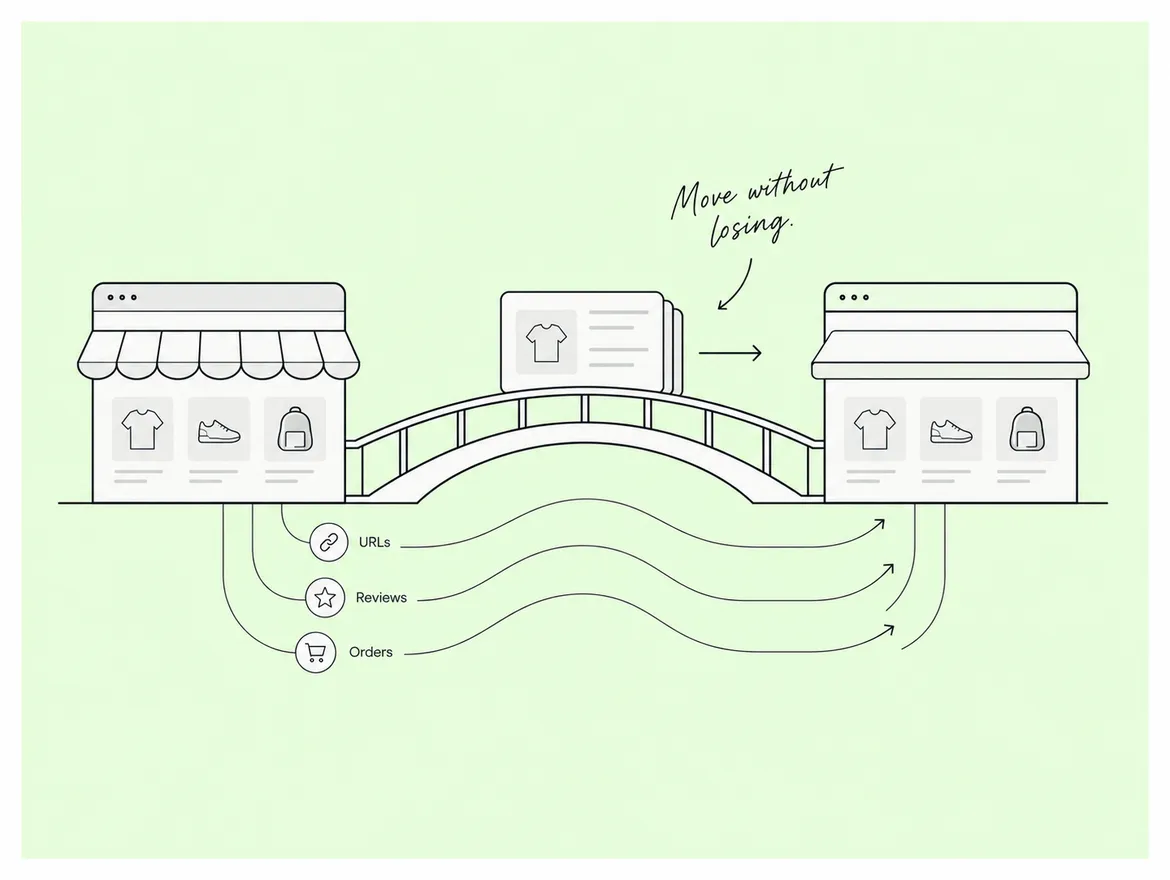
Shopify's WooCommerce migration guide is specific about the gaps. Reviews cannot be exported or migrated and have to be brought across using a reviews app instead, the platform allows only three product options so anything with more will not import those options, and weights recorded in pounds have to be converted by multiplying by 453.6 before the file will make sense. Commercially, those three lines are a week of work hiding inside one bullet on a proposal, and a store with rich variant structures usually discovers the option limit at the worst moment.
A pro tip: run a test import of fifty products before committing to the full file. Every mapping problem you will have shows up in those fifty.
Every address changes, and each one you fail to redirect is a page that stops existing. This is the single largest risk in the project, and it is entirely preventable with work done before launch rather than after.
Shopify's migration guidance states it plainly: the new platform's link structure is likely different from your previous service, so old links to specific pages will not load, and it gives the example of a shipping policy page moving from one path to another entirely. It also warns that domains should be disconnected from the previous platform before transfer, or you may hit certificate errors. In practice that means the redirect map is not a launch-day task. It is a deliverable with an owner and a due date, built while the catalogue is still being prepared.
Start from what earns, not from what exists. A store with four thousand addresses does not need four thousand redirects written by hand; it needs the two hundred that carry traffic or links handled carefully, and the rest handled by pattern.
Shopify's redirect documentation covers what the platform allows: redirects can be imported in bulk from a spreadsheet, a store can hold up to 100,000 of them and considerably more on the highest plan, they begin working immediately once created, and certain reserved paths such as the cart and orders cannot be redirected at all. The consequence for planning is that volume is rarely the constraint. Knowing which old addresses mattered is the
constraint, and that list has to come out of your analytics before the old site is switched off.
The cutover itself, when two systems are live at once or neither is. Rankings recover; a day of lost or duplicated orders does not, and this is the part customers notice.
Spoke's ecommerce design work shows the kind of store this sequence protects.
A clean-up, and it is the step most often skipped because it is unglamorous. Migration copies whatever you give it, so the mess arrives faster and costs more to fix on the other side.
A second pro tip: do the clean-up in the old system, not the new one. You will run the import more than once, and anything fixed after the first import has to be fixed again.
Anywhere from a fortnight to a quarter, and the catalogue size is rarely what decides it. What decides it is how clean the data is, how many integrations exist, and how quickly your team answers mapping questions.
Doing a migration and a redesign together is the commonest way to double a timeline. If the store is already under pressure, move first and redesign after, because then only one thing can be blamed when something breaks. A woocommerce to shopify migration handled that way is also far easier to test, since you are comparing like with like. Spoke's client work includes stores moved in that order.
Six things, in writing, none of which takes more than a sentence. Every one of them is cheap now and expensive in week three.
Spoke's India Shopify team scopes migrations against that list rather than against a product count, which is why the number usually differs from a tool's estimate.
A Shopify migration rarely fails on the catalogue; it fails on the addresses nobody mapped and the cutover nobody rehearsed, and both are decided weeks before launch. Pull the list of addresses that earn, build the redirect map as a deliverable with an owner, clean the data in the old system, plan separately for reviews, variants and order history, and keep the redesign for afterwards. A woocommerce to shopify migration planned this way is a scheduled project rather than a month of surprises. If you are scoping one now, book a scoping call and bring twelve months of analytics rather than a product count.
The longer guides behind each of these steps sit on the Spoke blog.
Q. Will we lose our search rankings when we migrate?
Ans. Not if the addresses are handled properly. Rankings follow pages, and a page that returns nothing loses what it earned. Export the addresses that received visits in the last twelve months, map each to its closest equivalent rather than to the home page, load the redirects before launch, and expect a short unsettled period afterwards while the change is recognised.
Q. Can we migrate reviews from our old store?
Ans. Not directly. Reviews do not export or import as part of a standard catalogue migration and have to be moved using a reviews app, each of which expects its own file format. Choose the app before you export anything, because doing it in the other order usually means exporting the data twice.
Q. Should we redesign the store at the same time?
Ans. Only if the current design is genuinely unusable. Doing both together doubles what can go wrong and makes every problem harder to diagnose, because you cannot tell whether a drop came from the move or the new layout. Move first, confirm the numbers settle, then redesign with a working baseline to compare against.
Q. How do we handle customer accounts?
Ans. Customer records migrate but passwords do not, so existing customers have to set a new one. Plan the email that tells them so, send it when the new store goes live rather than before, and make the reset route obvious on the login page. Support enquiries spike for about a week, so warn whoever answers them.
Q. What should we test before the switch?
Ans. Place a real order end to end, including payment, confirmation email, tax and shipping. Then check the fifty most visited old addresses resolve, that stock counts match, and that every connected system is pointing at the new store. Anything you skip here is something a customer finds for you within the first day.
Let’s Connect.
Have a project in mind or want to explore how we can help your business grow?