November 1, 2026
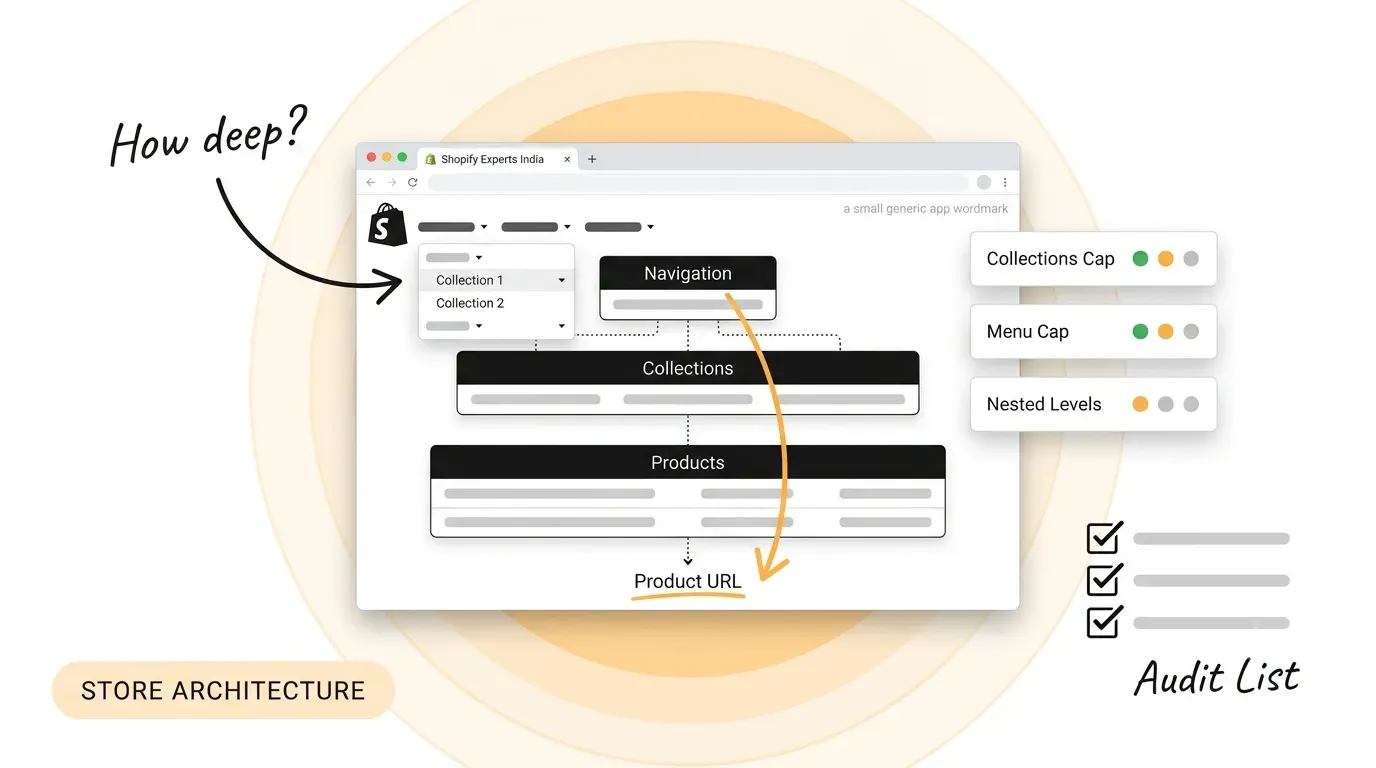
Shopify Store Architecture: How To Structure Products, Collections And Navigation
Read Full
Webflow development USA costs, timelines, ADA rules and how to pick a partner a practical 2026 guide for US startups. Know what to ask before you sign.
Most people shopping for a Webflow partner in America end up on the same ranked agency lists. Search Webflow development USA and you get plenty of names, but almost no costs, no timelines, and no way to tell one shop from another.
This guide gives you sourced numbers instead: platform fees, build ranges, realistic schedules, the US rules that touch your site, and the decisions that determine whether you rebuild in two years.
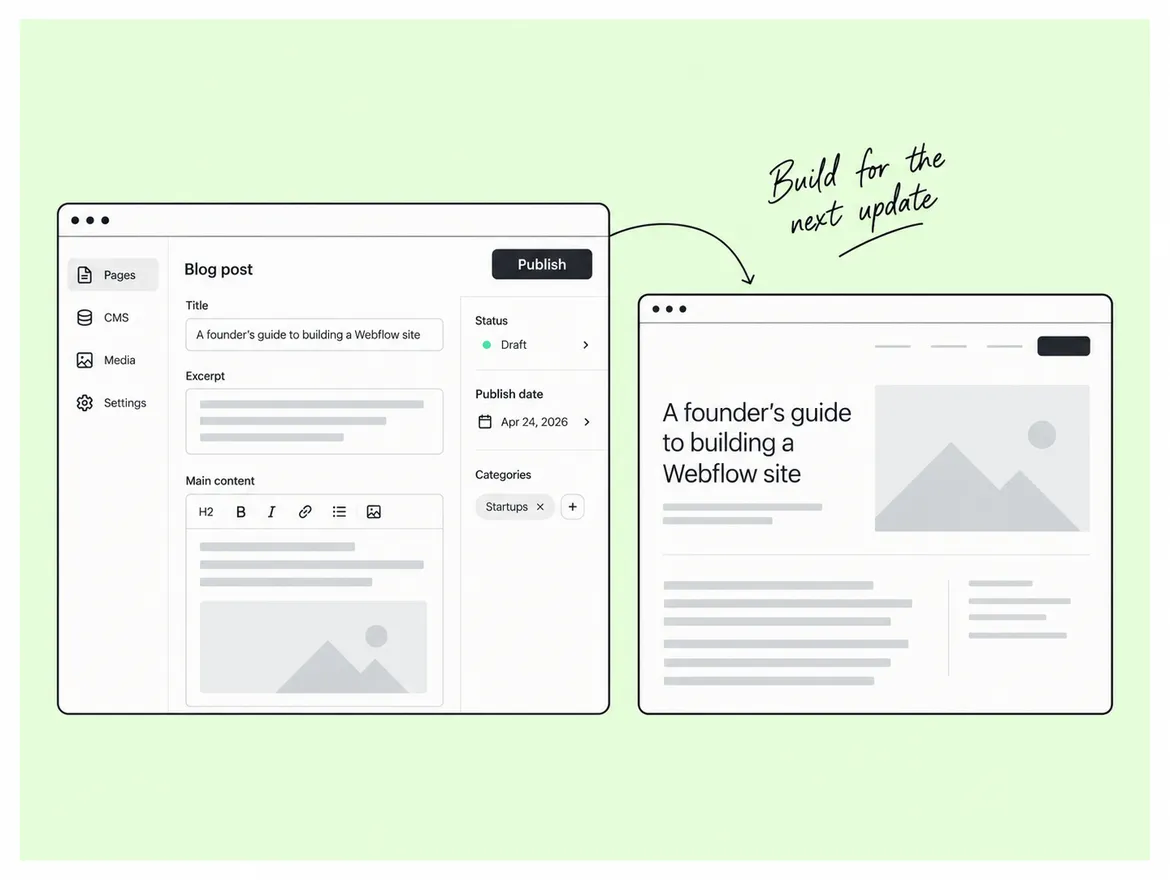
Webflow development is the work of building a production website inside Webflow, a visual development platform that writes real HTML, CSS and JavaScript rather than exporting a template. US startups choose it because a marketer can publish through the native CMS the layer that stores repeatable content such as blog posts and case studies without a developer, while the code stays clean enough for custom work on top.
That choice is still a minority one. Webflow powers 1.2% of websites whose content management system is known, and 0.8% of all websites, according to W3Techs data from August 2026. What Webflow trades volume for is control: the visual canvas maps directly to the CSS box model, so what a designer builds is what ships, with no round trip between a design file and a front-end queue.
Budget the partner cost first that is the number that decides your project. Spoke Design Labs publishes $8,000 to $20,000 for US marketing sites and $20,000 to $60,000 for enterprise builds. Before you compare quotes, check that each partner is certified and has published work behind them; Spoke's Webflow partner profile shows what that trail looks like, and any shop you shortlist should have one.
The build fee moves on scope, not geography. Four things drive it:
A five-page launch site with one blog collection sits at the bottom of the range. A site with gated content, HubSpot and Stripe wired in, and motion design across the hero sits near the top, which is why advanced Webflow animation is usually scoped as its own line item.
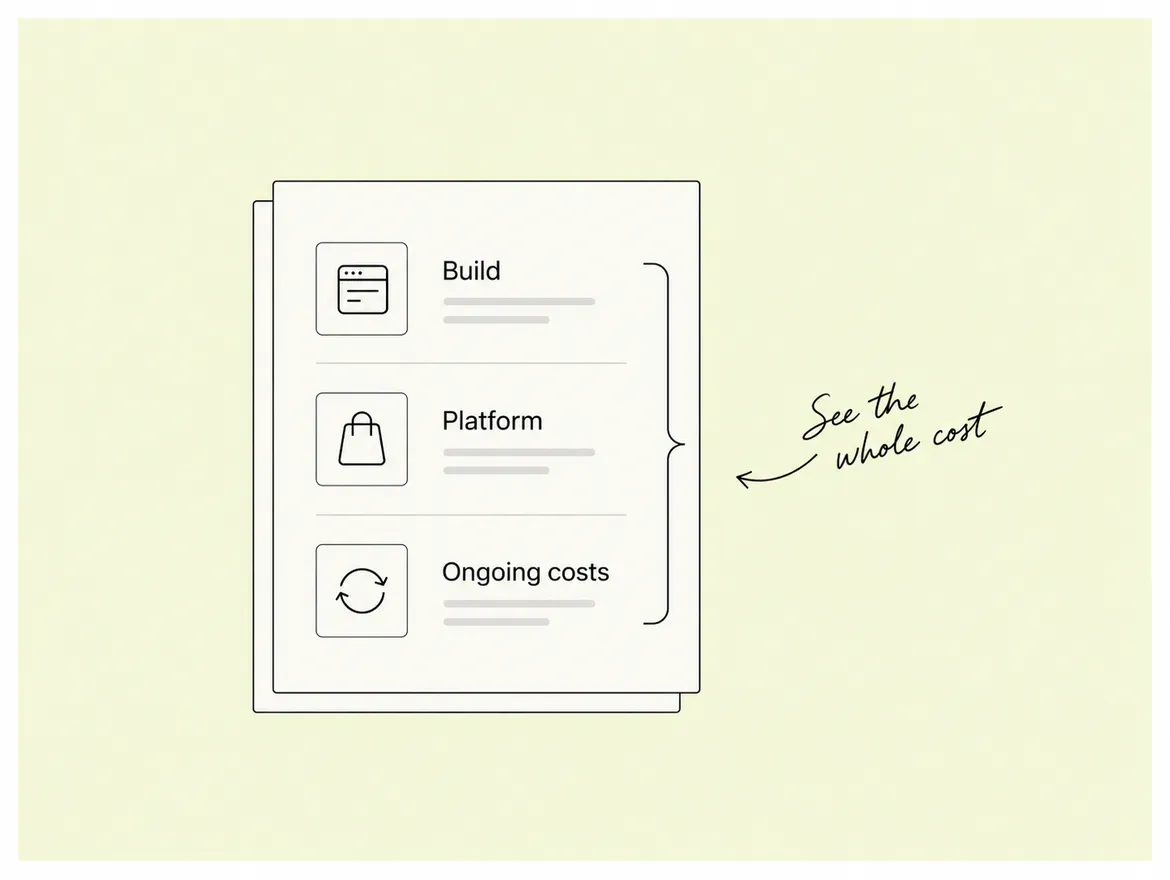
The common budgeting mistake is paying for the build and forgetting the twelve months after it. Campaign pages and integration changes continue, and a small retainer costs less than emergency freelance hours.
What Webflow Itself Costs
The platform fee is the small, predictable part. Webflow's published pricing puts Basic at $15 per month annually with 300 static pages and no CMS, and Premium at $25 per month annually with the full CMS; the Team plan sits far above at $2,500 per month on an annual contract, and Enterprise is quoted individually.
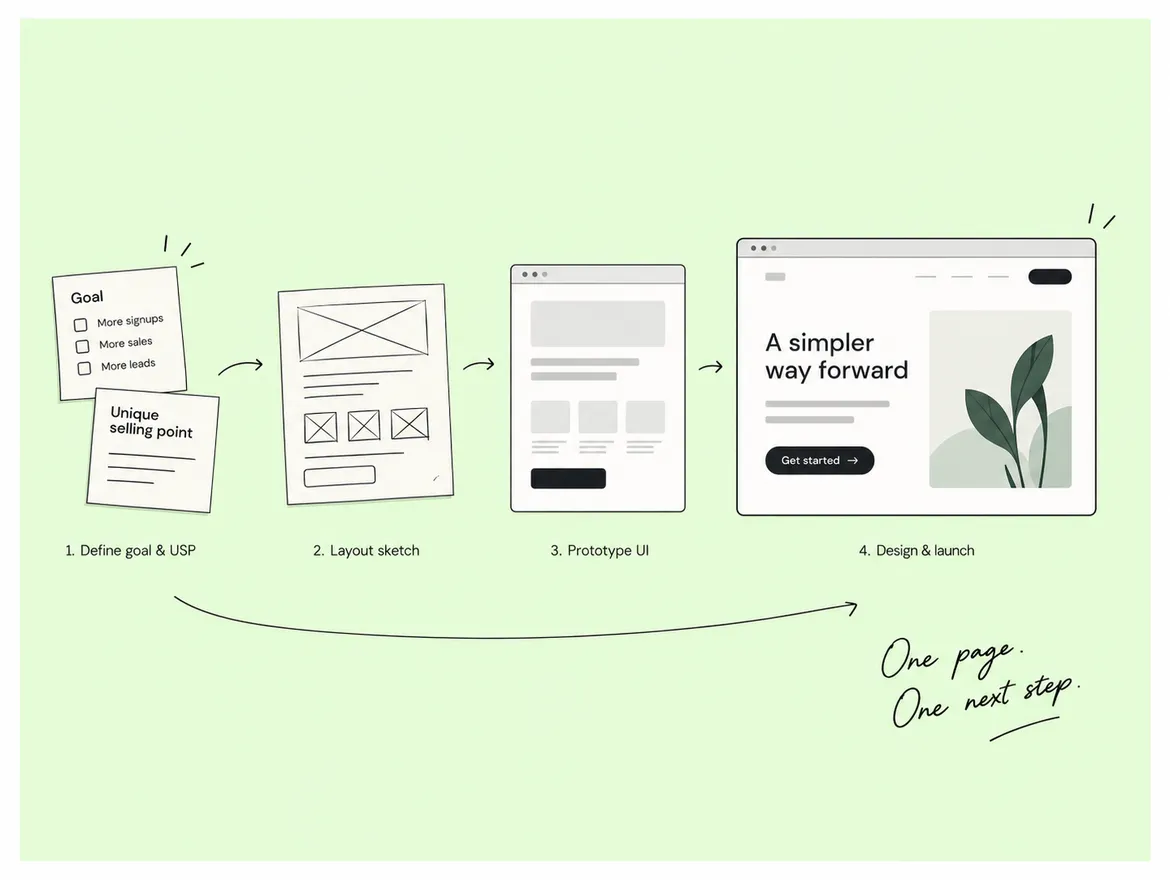
A standard marketing site takes four to six weeks from kickoff to launch. Spoke's published process splits that into:
Enterprise builds run longer because content migration and integrations, not design, set the pace.
The variable nobody schedules is content. Copy, product screenshots and legal pages are written on the client side, and the build waits on them. Pro tip: agree the sitemap and hand over the final copy for the homepage and one template page before design begins. Teams that do this land inside the estimate.
Ask this before you ask about the price. Output quality and communication are what you live with for the next year, and both can be judged on a single discovery call.
Spoke runs a documented QA pass before every launch, and the fastest way to test any partner on all four points is to make them walk you through that process in detail on the first call.
Three US-specific requirements shape Webflow projects:
None of them are solved by choosing Webflow. They are solved in how the site is built and which plan you buy.
Accessibility comes first. Title III of the ADA applies to businesses open to the public, and the Department of Justice states these businesses must provide full and equal enjoyment of their goods and services to people with disabilities. The DOJ points to the Web Content Accessibility Guidelines as a helpful standard but stops short of naming a mandatory version for private companies.
A version is named for the public sector. The DOJ's 2024 web accessibility rule sets WCAG 2.1 Level AA for state and local government, due 26 April 2027 for entities serving 50,000 people or more and 26 April 2028 for smaller ones. If you sell to school districts, city agencies or public health systems, your buyers are already on that clock.
Security is the third layer. Webflow Enterprise carries:
The $25 Premium plan carries none of it, and moving up mid-deal is slower than planning for it.
Mistake to avoid: treating an accessibility overlay widget as compliance. Keyboard focus order, colour contrast, semantic headings, alt text and form labels are build decisions made inside Webflow, and they are what an audit examines.
Choose by how much the site changes after launch. A freelancer suits a one-off marketing site with no roadmap. An in-house designer-developer suits a company shipping site changes every week. A Webflow design company in the USA or one that reliably works US hours suits everything in between: a defined build with design, development, QA and post-launch support under a single contract.
The trade-offs run in each direction. Freelancers cost least per hour and carry the most delivery risk, because one person's availability is the entire plan. In-house hires give the fastest turnaround on small edits but cost a full salary, and one person rarely covers design, development, animation and accessibility QA at the same standard.
Agencies solve the coverage problem and add a coordination cost, and location is part of that cost. A US-based studio overlaps your day completely and bills at US rates. A global studio serving US clients Spoke works with clients across more than twenty countries costs less and needs deliberate overlap. Ask how many hours a day a team overlaps yours, and treat a vague answer as a no.
Webflow is the wrong choice:
Complex logged-in product experiences belong in your application stack. Webflow can run the marketing layer and hand off to an app subdomain, and that split is usually the right architecture. Localisation has a price too: Premium includes two locales, while Webflow Localize sits on the Team plan at $2,500 per month, so price eight languages in before you commit.
And if your engineers already run a design system in React that marketing should share, a headless website design and development setup can cost less over three years than rebuilding it inside Webflow. A partner who cannot name a situation where their own platform loses is selling, not advising.
Judge a partner on structure and ownership, not on portfolio screenshots. Five questions separate a site you can grow from one you will rebuild.
Then ask for two projects in your industry and one the team would build differently today. Spoke's Webflow case studies include Xborg, Glasshouse Wealth and SimpliContract open the live sites, not the presentation deck.
Webflow development in USA pricing has two layers, and most budgets count only one. Add the platform plan to the build fee, put the ADA and SOC 2 questions on the table in the first call, and spend an extra hour on CMS structure before anyone opens the Designer.
If you are scoping a build now, one conversation with a Webflow design company in the USA market will tell you more than another comparison page. Spoke plans, designs, builds and QAs in one team book a scoping call and get a fixed quote before you commit.
Q: How much does Webflow development cost in the USA?
A: Two costs apply. Webflow charges a site plan from $15 per month billed annually, rising to $25 for Premium and its CMS. A build partner charges separately Spoke publishes $2,000 to $20,000 for US B2B sites and $10,000 to $50,000 for enterprise work.
Q: Is Webflow good for startups?
A: Yes, for marketing sites, launch pages and content-driven sites where a marketer needs to publish without a developer. It fits less well for logged-in product experiences, multi-language operations on a tight budget, or teams already maintaining a React component library marketing should reuse.
Q: How long does it take to build a Webflow website?
A: Four to six weeks for a standard marketing site. Spoke's published process runs planning at one to two weeks, design and build at four to seven weeks, and QA and launch at four to six days. Content readiness is the usual cause of overrun.
Q: Does a Webflow site meet ADA accessibility requirements automatically?
A: No. The platform can produce accessible output, but conformance depends on how the site is built semantic headings, focus order, colour contrast, alt text and form labels. The DOJ points businesses to WCAG as a helpful standard, and its 2024 rule sets WCAG 2.1 Level AA for state and local government.
Q: Can I hire a Webflow design company outside the USA for a US project?
A: Yes, and many US startups do to reduce cost. The trade-off is time zone, so agree fixed daily overlap hours and written decision records before kickoff. Confirm the contract, IP assignment and Webflow Workspace transfer are handled in writing.
Most guides on this subject are agency listicles that rank the publisher first. This one is written from the buyer's side.

Most guides on this subject are agency listicles that rank the publisher first. This one is written from the buyer's side. It covers the four obligations a UK business website carries, the three jobs the platform does not do for you, the seven factors that move a build quote, and the questions that separate a capable partner from a confident one. Every legal point is sourced and dated, because one of them changed on 5 August 2026.
A UK business website carries four obligations that a design brief routinely ignores: accessibility, company trading disclosures, cookie consent, and knowing where your data sits. None is a platform feature you switch on, and each is either a decision made at wireframe stage or an expensive retrofit after launch. For a standard business site, these four are the whole list.
On accessibility, the word "reasonable" is doing real work in that duty, which is why a blanket promise of full compliance should make you cautious rather than comfortable. A partner can commit to a build that meets WCAG 2.2 AA on the pages they ship: working keyboard navigation, visible focus states, real contrast ratios and semantic headings. They cannot commit to what your team uploads next year. Read the statutory code of practice before signing anything that claims more, and name ongoing content as a client responsibility in the contract.
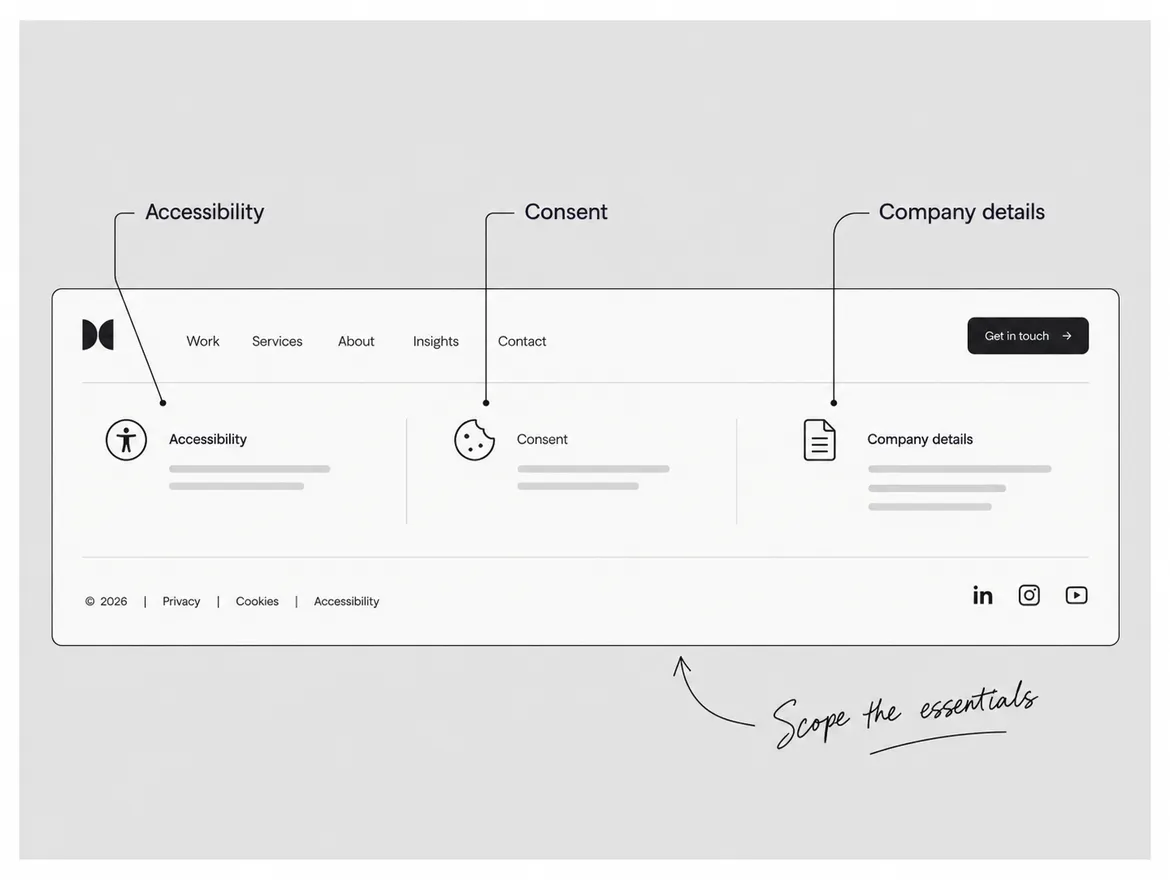
Disclosures are the easiest of the four to satisfy and the most commonly missed, usually because a designer treated the footer as decoration. The particulars are set out in the Business Companion guidance. Build that block once as a reusable component so one edit updates every page, because a footer pasted separately into three templates will drift the first time you move office.
Webflow gives you hosting, a CMS, precise responsive control, animation and an editor that lets non-developers publish safely. It does not give you consent management, a choice of hosting region on standard plans, or any view on your legal obligations. UK projects overrun in the gap between those lists.
The most common mistake is assuming the platform handles cookie consent. It does not. Webflow's own Help Center, in its article on managing site tracking consent, tells you to use a third-party consent management platform, integrate a provider through Webflow's APIs, or build the banner yourself in custom code. Decide which during scoping, because a banner bolted on the week before launch is how analytics ends up firing before consent is given.
The second gap is hosting region. Webflow describes Webflow custom hosting as an Enterprise deployment platform for deploying to region-specific servers to meet GDPR and compliance requirements, and states it is available only to Enterprise customers. On standard site plans you do not choose where the site is served from. That is usually fine for a marketing site, and becomes a problem the moment an enterprise buyer sends a data questionnaire.
The third gap is form submissions. Webflow collects and stores them, which is convenient and quietly becomes a small database of personal data nobody owns. Forward them to the system you work in, decide who clears them down and how often, and write that into the handover notes.
No agency publishes a real UK price band for this work, and inventing one here would not help you. What is knowable is the list of things that move the number, and a quote broken down against it is the only one you can compare. Webflow design UK quotes vary more than they should because agencies scope differently, not because the work differs.
Seven factors move a build quote.
Ask for the quote split across those seven lines and compare the splits, not the totals. An agency that cannot break its number down that way is quoting a feeling, and a low total usually means points five, six and seven were left out.
Platform cost is the small part of the equation. Webflow's Help Center, in its May 2026 pricing update, lists the Basic site plan at $15 per month billed yearly and the Premium site plan, which merged the former CMS and Business plans, at $25 per month billed yearly.
Judge a Webflow web design agency on how it works, not on how its portfolio looks. Every portfolio is a curated set of an agency's strongest work: it shows what they can do on a good project, not what they will do on yours.
Start with the credential, then look past it. Webflow's Certified Partner rubric scores applicants across five categories at Satisfactory, Good or Exceptional: Webflow client experience, design quality, layout and structure, site optimisation, and accessibility. It requires at least Good on the first three and only Satisfactory on the last two. Webflow's own rubric sets accessibility at Satisfactory as the pass mark, so a certified badge tells you the floor was cleared, not that your site will clear it.
These five checks separate agencies once the badge is set aside.
That last point is the second mistake worth naming, because it is made for good reasons. Letting the agency hold the workspace "for convenience" feels efficient and quietly hands them your exit cost. Keep billing and ownership in your name and add the agency as a collaborator.
One practical test before you hire anyone: open the agency's own website and navigate it using only the Tab key. If focus disappears, gets trapped, or jumps around in an order that makes no sense, their accessibility grade is theoretical. It takes ninety seconds and tells you more than a capabilities deck does.
A UK Webflow project is settled by four decisions and none of them is visual: what the law expects, what the platform leaves to you, what moves the price, and how the partner works. Get the obligations into the brief, price consent and accessibility as real scope, and keep the workspace in your own name. Webflow design UK projects go wrong when those are treated as post-launch problems, because each one is cheap at wireframe stage and expensive after go-live.
If you want a second opinion on a scope or a quote before you sign, Spoke's UK Webflow development team handles Webflow design, build and ongoing support for UK companies. Choosing a Webflow web design agency is a decision about how you will work for the next three years, so give it the time you would give a hire.
Q. Is Webflow a good platform for UK businesses?
Ans. Yes, for marketing and content sites where a non-technical team needs to publish without a developer. Webflow combines hosting, a CMS, responsive control and animation in one place, which removes most routine engineering requests. It is a weaker fit when the site needs heavy server-side logic; there, use a framework for the app and Webflow for marketing pages.
Q. Does a Webflow site need a cookie banner in the UK?
Ans. Yes, if it sets any cookie that is not strictly necessary, which includes almost all analytics. The ICO's PECR guidance requires you to tell people the cookies are there, explain what they do, and obtain consent through a clear positive action. Webflow ships no consent management, so this needs a third-party tool or custom code.
Q. How long does a Webflow website take to build?
Ans. It depends on five things: the number of unique templates rather than total pages, how much of the site is CMS-driven, how much custom animation is involved, how many systems must connect, and whether final content exists. Ask any agency to break its timeline down by those five factors. A single date with no breakdown is a guess.
Most people shopping for a Webflow partner in America end up on the same ranked agency lists. Search Webflow development USA and you get plenty of names, but almost no costs, no timelines, and no way to tell one shop from another.
This guide gives you sourced numbers instead: platform fees, build ranges, realistic schedules, the US rules that touch your site, and the decisions that determine whether you rebuild in two years.
Webflow development is the work of building a production website inside Webflow, a visual development platform that writes real HTML, CSS and JavaScript rather than exporting a template. US startups choose it because a marketer can publish through the native CMS the layer that stores repeatable content such as blog posts and case studies without a developer, while the code stays clean enough for custom work on top.
That choice is still a minority one. Webflow powers 1.2% of websites whose content management system is known, and 0.8% of all websites, according to W3Techs data from August 2026. What Webflow trades volume for is control: the visual canvas maps directly to the CSS box model, so what a designer builds is what ships, with no round trip between a design file and a front-end queue.
Budget the partner cost first that is the number that decides your project. Spoke Design Labs publishes $8,000 to $20,000 for US marketing sites and $20,000 to $60,000 for enterprise builds. Before you compare quotes, check that each partner is certified and has published work behind them; Spoke's Webflow partner profile shows what that trail looks like, and any shop you shortlist should have one.
The build fee moves on scope, not geography. Four things drive it:
A five-page launch site with one blog collection sits at the bottom of the range. A site with gated content, HubSpot and Stripe wired in, and motion design across the hero sits near the top, which is why advanced Webflow animation is usually scoped as its own line item.
The common budgeting mistake is paying for the build and forgetting the twelve months after it. Campaign pages and integration changes continue, and a small retainer costs less than emergency freelance hours.
What Webflow Itself Costs
The platform fee is the small, predictable part. Webflow's published pricing puts Basic at $15 per month annually with 300 static pages and no CMS, and Premium at $25 per month annually with the full CMS; the Team plan sits far above at $2,500 per month on an annual contract, and Enterprise is quoted individually.
A standard marketing site takes four to six weeks from kickoff to launch. Spoke's published process splits that into:
Enterprise builds run longer because content migration and integrations, not design, set the pace.
The variable nobody schedules is content. Copy, product screenshots and legal pages are written on the client side, and the build waits on them. Pro tip: agree the sitemap and hand over the final copy for the homepage and one template page before design begins. Teams that do this land inside the estimate.
Ask this before you ask about the price. Output quality and communication are what you live with for the next year, and both can be judged on a single discovery call.
Spoke runs a documented QA pass before every launch, and the fastest way to test any partner on all four points is to make them walk you through that process in detail on the first call.
Three US-specific requirements shape Webflow projects:
None of them are solved by choosing Webflow. They are solved in how the site is built and which plan you buy.
Accessibility comes first. Title III of the ADA applies to businesses open to the public, and the Department of Justice states these businesses must provide full and equal enjoyment of their goods and services to people with disabilities. The DOJ points to the Web Content Accessibility Guidelines as a helpful standard but stops short of naming a mandatory version for private companies.
A version is named for the public sector. The DOJ's 2024 web accessibility rule sets WCAG 2.1 Level AA for state and local government, due 26 April 2027 for entities serving 50,000 people or more and 26 April 2028 for smaller ones. If you sell to school districts, city agencies or public health systems, your buyers are already on that clock.
Security is the third layer. Webflow Enterprise carries:
The $25 Premium plan carries none of it, and moving up mid-deal is slower than planning for it.
Mistake to avoid: treating an accessibility overlay widget as compliance. Keyboard focus order, colour contrast, semantic headings, alt text and form labels are build decisions made inside Webflow, and they are what an audit examines.
Choose by how much the site changes after launch. A freelancer suits a one-off marketing site with no roadmap. An in-house designer-developer suits a company shipping site changes every week. A Webflow design company in the USA or one that reliably works US hours suits everything in between: a defined build with design, development, QA and post-launch support under a single contract.
The trade-offs run in each direction. Freelancers cost least per hour and carry the most delivery risk, because one person's availability is the entire plan. In-house hires give the fastest turnaround on small edits but cost a full salary, and one person rarely covers design, development, animation and accessibility QA at the same standard.
Agencies solve the coverage problem and add a coordination cost, and location is part of that cost. A US-based studio overlaps your day completely and bills at US rates. A global studio serving US clients Spoke works with clients across more than twenty countries costs less and needs deliberate overlap. Ask how many hours a day a team overlaps yours, and treat a vague answer as a no.
Webflow is the wrong choice:
Complex logged-in product experiences belong in your application stack. Webflow can run the marketing layer and hand off to an app subdomain, and that split is usually the right architecture. Localisation has a price too: Premium includes two locales, while Webflow Localize sits on the Team plan at $2,500 per month, so price eight languages in before you commit.
And if your engineers already run a design system in React that marketing should share, a headless website design and development setup can cost less over three years than rebuilding it inside Webflow. A partner who cannot name a situation where their own platform loses is selling, not advising.
Judge a partner on structure and ownership, not on portfolio screenshots. Five questions separate a site you can grow from one you will rebuild.
Then ask for two projects in your industry and one the team would build differently today. Spoke's Webflow case studies include Xborg, Glasshouse Wealth and SimpliContract open the live sites, not the presentation deck.
Webflow development in USA pricing has two layers, and most budgets count only one. Add the platform plan to the build fee, put the ADA and SOC 2 questions on the table in the first call, and spend an extra hour on CMS structure before anyone opens the Designer.
If you are scoping a build now, one conversation with a Webflow design company in the USA market will tell you more than another comparison page. Spoke plans, designs, builds and QAs in one team book a scoping call and get a fixed quote before you commit.
Q: How much does Webflow development cost in the USA?
A: Two costs apply. Webflow charges a site plan from $15 per month billed annually, rising to $25 for Premium and its CMS. A build partner charges separately Spoke publishes $2,000 to $20,000 for US B2B sites and $10,000 to $50,000 for enterprise work.
Q: Is Webflow good for startups?
A: Yes, for marketing sites, launch pages and content-driven sites where a marketer needs to publish without a developer. It fits less well for logged-in product experiences, multi-language operations on a tight budget, or teams already maintaining a React component library marketing should reuse.
Q: How long does it take to build a Webflow website?
A: Four to six weeks for a standard marketing site. Spoke's published process runs planning at one to two weeks, design and build at four to seven weeks, and QA and launch at four to six days. Content readiness is the usual cause of overrun.
Q: Does a Webflow site meet ADA accessibility requirements automatically?
A: No. The platform can produce accessible output, but conformance depends on how the site is built semantic headings, focus order, colour contrast, alt text and form labels. The DOJ points businesses to WCAG as a helpful standard, and its 2024 rule sets WCAG 2.1 Level AA for state and local government.
Q: Can I hire a Webflow design company outside the USA for a US project?
A: Yes, and many US startups do to reduce cost. The trade-off is time zone, so agree fixed daily overlap hours and written decision records before kickoff. Confirm the contract, IP assignment and Webflow Workspace transfer are handled in writing.
The last time you were here, we discussed how you map your design deliverables with user research and the relevancy of curating a product roadmap.
In case you missed the first part, here you go!
In the UX/UI design process, “usability heuristics” are broad characteristics that can help designers and researchers assess how easy an interface is to learn and use. They can go a long way to give you a bit of separation from your project so you can be as objective as possible in figuring out what needs improvement.
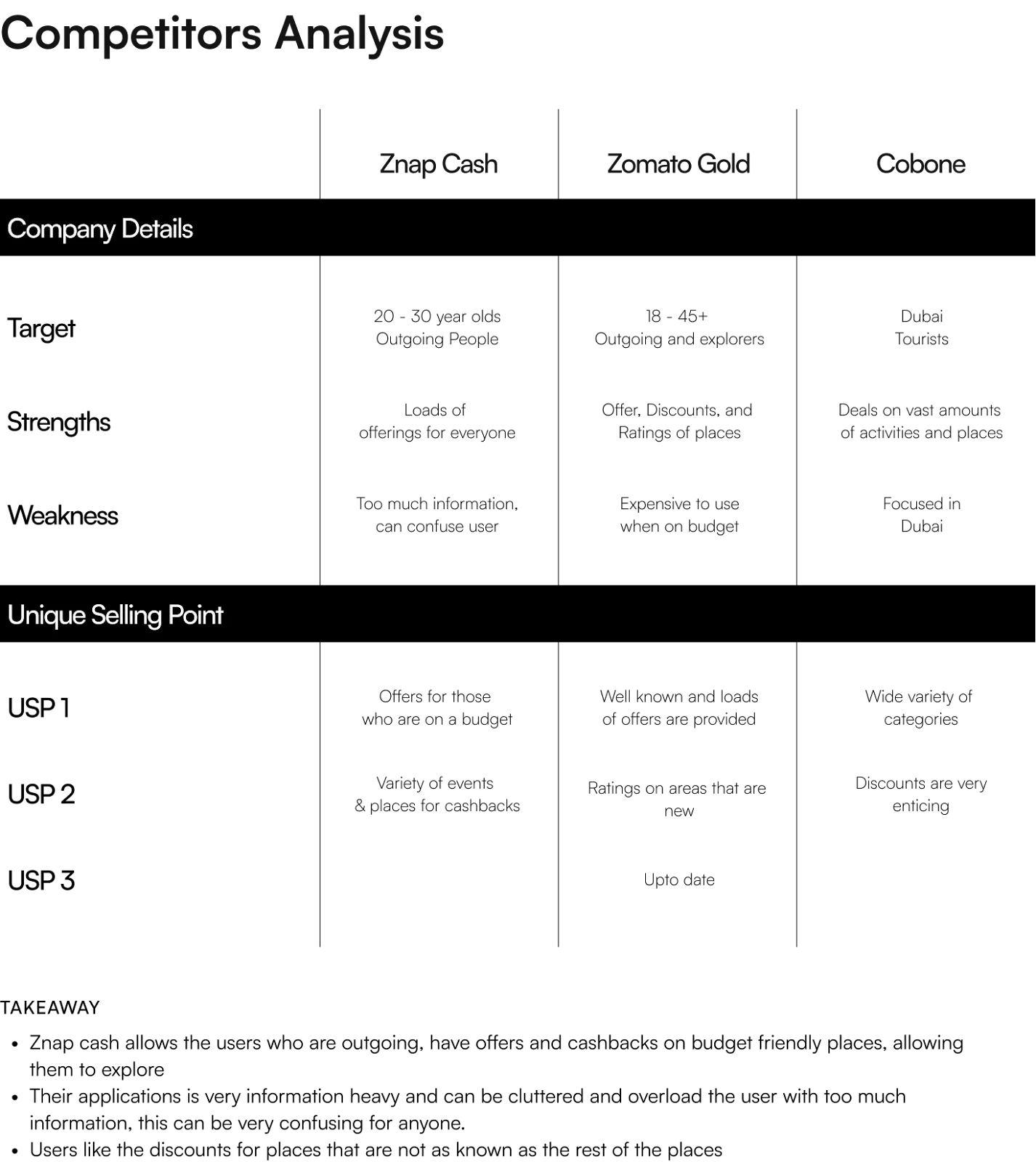
In the competitive research phase of Znap Cash - UAE’s No.1 Rewards App, we came across multiple competitors, that seemed to be targeting the same age bracket, with a similar range of products and features; which ideal competitors to evaluate through usability heuristics.
In this article, we’re going to evaluate their usability, and identify some areas of focus that we can address in Znap Cash. We’ll be applying Jakob Nielsen’s “10 Usability Heuristics,” which were written in 1994 but outlined general interface design principles that were so useful that they’re still referenced today.
We’ll also be applying “severity” ratings to each heuristic, on a scale from 0 (not a problem) to 4 (“usability catastrophe”).
Here’s what we’ll explore,
To understand the significance of a heuristic and competitor analysis, we will be using Znap Cash as a case study.
Introducing, “Znap Cash”- UAE’s No.1 Rewards App.
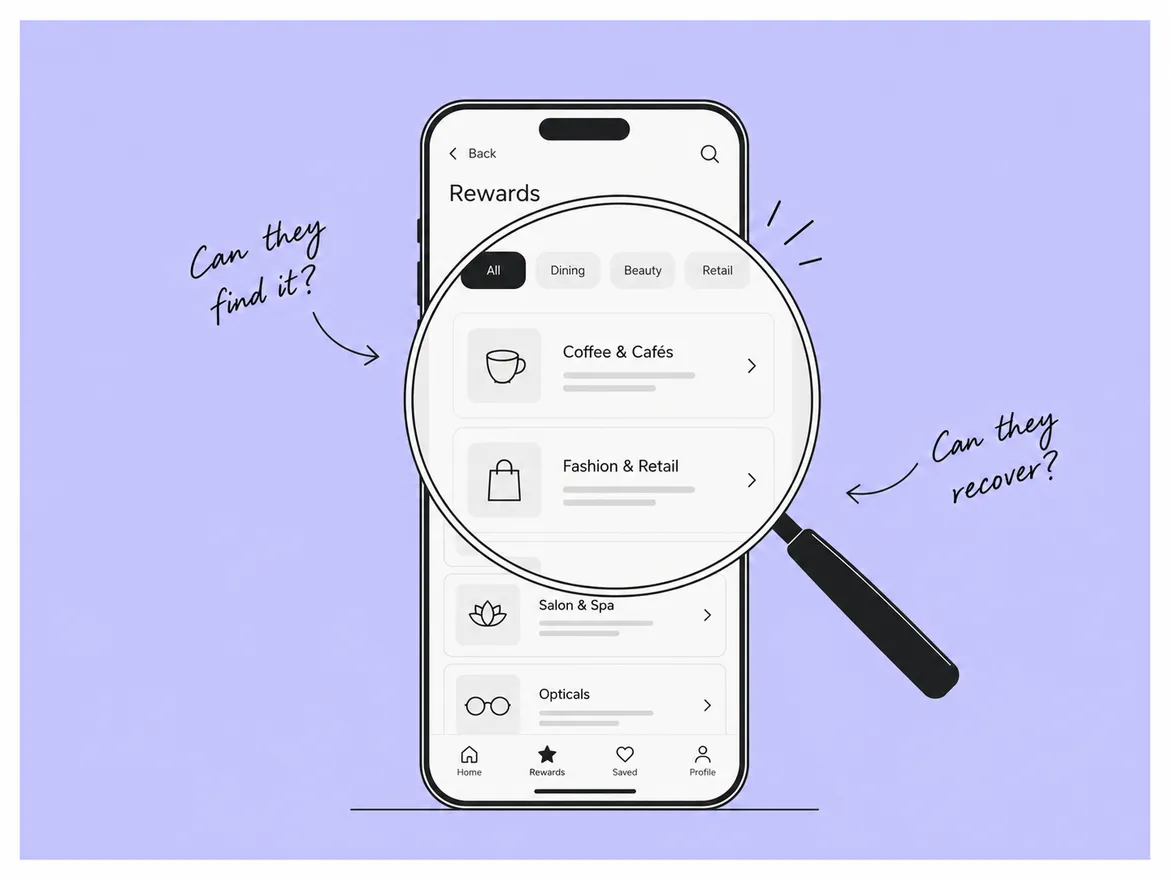
It is the ultimate destination for your regular retail spends. You can earn cashback on over 350+ Local Businesses that include Dining, Salon & Spa, Opticals, and many more.
Znap reached out to us to help them carry out all stages of product design with the goal of increasing consumer engagement and identifying reasons for the high drop-off rates and no consumer & brand loyalty.
We did a series of steps including a UX Audit, Discovery, and alignment of future business goals followed up by the UX and eventual visual design.
Starting with,
Heuristic analysis is a problem-solving approach that involves using practical techniques to identify and mitigate potential risks. The term "heuristic" refers to a problem-solving technique that uses experience and intuition to find solutions. Heuristic analysis involves systematically evaluating a set of data to uncover hidden patterns, identify potential risks, and develop strategies for addressing these risks.
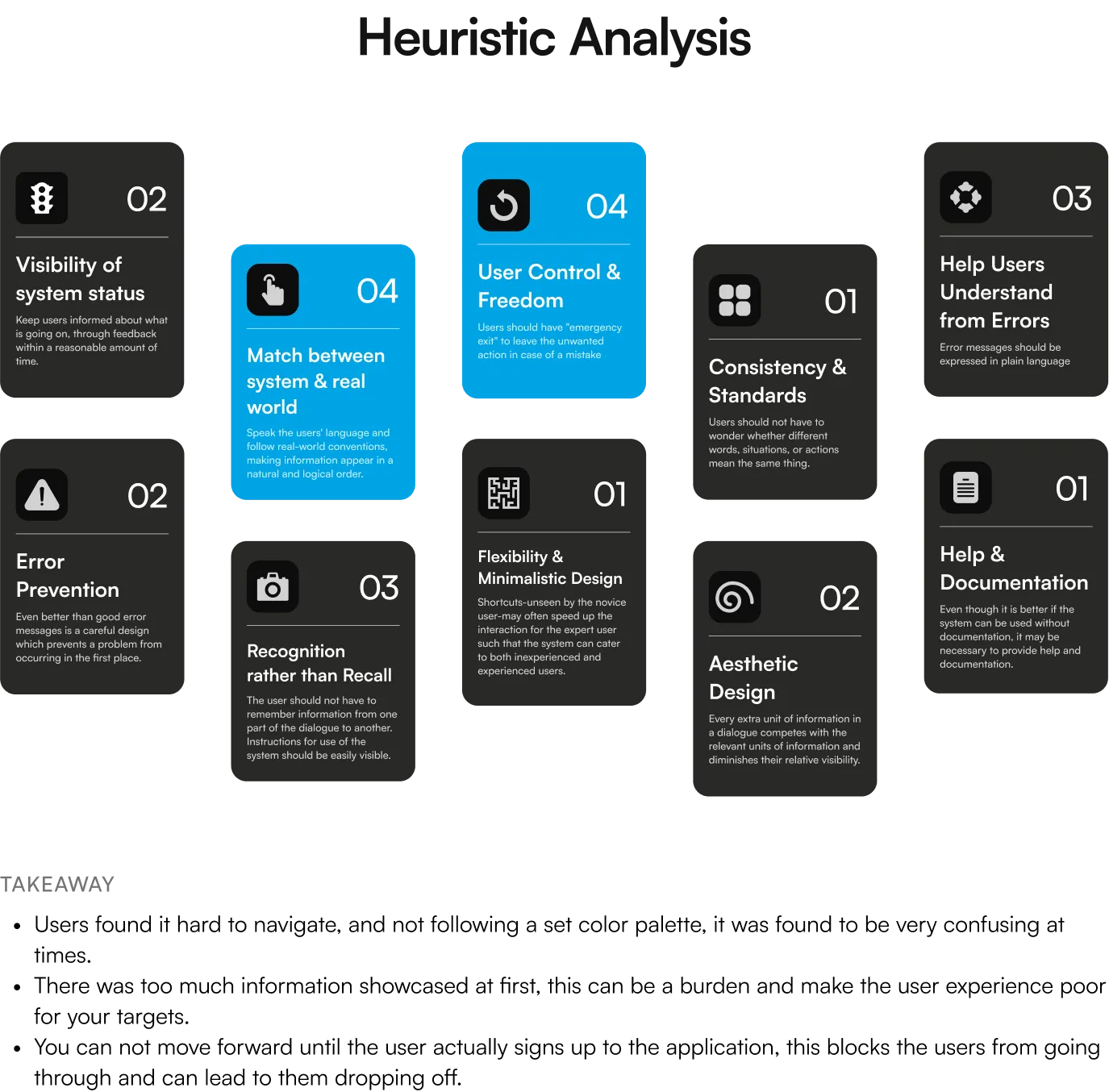
So, here are Jakob Nielsen's “10 Usability Heuristics” for interaction design. They are called "heuristics" because they are broad rules of thumb and not specific usability guidelines.
1. Visibility of system status
The design should always keep users informed about what is going on, through appropriate feedback within a reasonable amount of time.
Score: 2
2. Match between system and the real world
The design should speak the users' language. Use words, phrases, and concepts familiar to the user, rather than internal jargon. Follow real-world conventions, making information appear in a natural and logical order.
Score: 0
3. User control and freedom
Users often perform actions by mistake. They need a clearly marked "emergency exit" to leave the unwanted action without having to go through an extended process.
Score: 1
4. Consistency and standards
Users should not have to wonder whether different words, situations, or actions mean the same thing.
Score: 0
5. Error prevention
Good error messages are important, but the best designs carefully prevent problems from occurring in the first place. Either eliminate error-prone conditions, or check for them and present users with a confirmation option before they commit to the action.
Score: 0
6. Recognition rather than recall
Minimize the user's memory load by making elements, actions, and options visible. The user should not have to remember information from one part of the interface to another. Information required to use the design (e.g. field labels or menu items) should be visible or easily retrievable when needed.
Score: 1
7. Flexibility and efficiency of use
Shortcuts — hidden from novice users — may speed up the interaction for the expert user so that the design can cater to both inexperienced and experienced users. Allow users to tailor frequent actions.
Score: 0
8. Aesthetic and minimalist design
Interfaces should not contain information that is irrelevant or rarely needed. Every extra unit of information in an interface competes with the relevant units of information and diminishes their relative visibility.
Score: 0
9. Help users recognize, diagnose, and recover from errors
Error messages should be expressed in plain language (no error codes), precisely indicate the problem, and constructively suggest a solution.
Score: 0
10. Help and documentation
It’s best if the system doesn’t need any additional explanation. However, it may be necessary to provide documentation to help users understand how to complete their tasks.
Score: 2
Hence, by focusing on usability, a heuristic analysis is an evaluation method in which one or more experts compare a digital product’s design to a list of predefined design principles (commonly referred to as heuristics) and identify where the product is not following those principles.
For example, User Control & Freedom allows for easy navigation and exit points in a process. Signing up is required to move forward, but users can still exit midway. However, due to limited control and freedom, the principle only scored 1 out of 4.
In Znap Cash’s cases, this is how the usability score looked like-
It’s also convenient in looking at your competitors and assessing where gaps might lie — that your product can fill. An added bonus: it helps you create a standard vocabulary for design critiques that you can use in your own iterative design process.
In today's competitive business landscape, staying ahead of the competition is essential for success. One of the most effective methods for achieving this is through competitor analysis, a process that involves researching and analyzing your competitors to gain insights into their strategies, strengths, and weaknesses. By using competitor analysis, businesses can make informed decisions, identify areas for improvement, and ultimately outperform their competition.
The process of competitor analysis involves several key steps:
By researching and analyzing your competitors, you can gain valuable insights into their strategies and use this information to make informed decisions about your own business.
Whether you're looking to improve your marketing tactics, develop new products, or improve your competitive positioning, competitor analysis can help you achieve your goals and outperform your competition.
During the competitive research phase for Znap Cash - UAE's top Rewards App, we encountered multiple competitors with similar product offerings and features aimed at the same age demographic.
Given the similarities, we deemed these competitors as ideal candidates for usability heuristics evaluation. By conducting this evaluation, we could better understand how our competitors were designing and optimizing their user experience and identify areas for improvement to enhance our own app's usability.
To end,
We apply our own experience and knowledge acquired in years of A/B testing and best practices to assess your website in terms of usability. Heuristic research helps us identify possible reasons why users are or aren’t converting.
Competitive analysis is just as important. Understand where you stand compared to similar companies and what your competitors are doing differently. Learn how to leverage this information and gain a competitive edge.
Ready to take the next step and create your new product?
Well then, make sure to reach us at hello@spoke.design or just say come "Hi", here! ;)
Also, make sure to be around, we’ll be back soon with a more detailed design process we followed to design Znap Cash. ;)
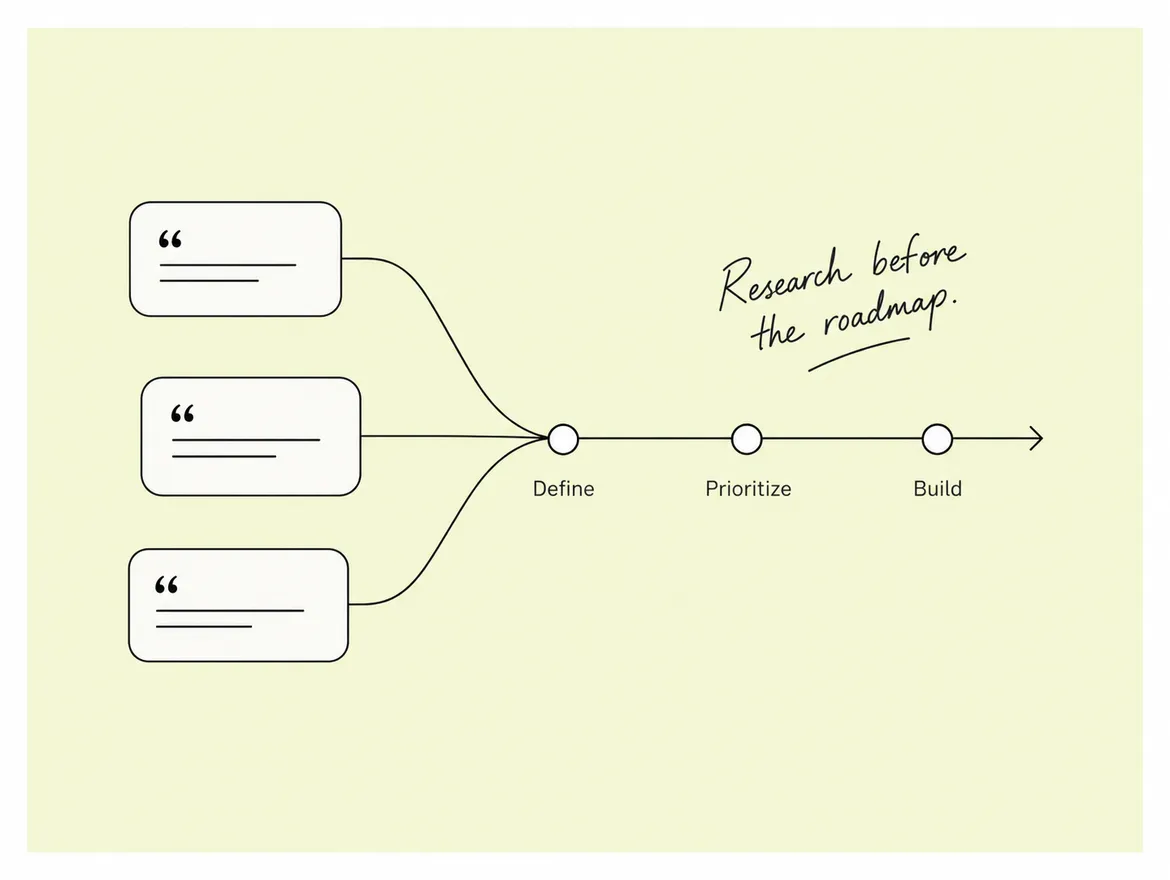
You have a killer idea for a new product, but how do you turn it into something people will love?
You can create a successful product by understanding the who, what, and why of the product you’re building, getting company stakeholders on board, and having a clear plan of action. Of course, it’s easy to run into walls along the way, so start by conducting user research and outlining a product roadmap.
Users are No. 1 when you create a product, so you need to do your homework. Understanding their motivations, goals, and mindset is critical to building something they will find valuable. Research is key to making this understanding.
But how does it all come together? Journey with us to learn why user research is critical to developing a winning product and discover how Spoke Design Labs completes user research to set clients up for success.
Here’s what we’ll explore,
To understand the significance of a product roadmap and how it evolves over the lifetime of a product, we will be using Znap Cash as a case study.
Introducing, “Znap Cash”- UAE’s No.1 Rewards App.
It is the ultimate destination for your regular retail spends. You can earn cashback on over 350+ Local Businesses that include Dining, Salon & Spa, Opticals, and many more.
Znap reached out to us to help them carry out all stages of product design with the goal of increasing consumer engagement and identifying reasons for the high drop-off rates and no consumer & brand loyalty.
We did a series of steps including a UX Audit, Discovery, and alignment of future business goals followed up by the UX and eventual visual design.
Starting with,
“Roadmaps are evidence of strategy. Not a list of features.” – Steve Johnson
In its simplest terms, a product roadmap is a guiding strategic document as well as a plan for executing strategy. A roadmap is a high-level visual summary that maps out the vision and direction of your product offering over time.
The purpose of a product roadmap is to communicate direction and progress to internal teams and external stakeholders. It shows the high-level initiatives and the planned steps to get there. It should not include every feature in the product backlog, or a list of specific engineering bugs. The roadmap is a product management document and should live separately.
Creating a product roadmap should be a continuous process throughout the lifecycle of a product. Requirements and features should be generated by lots of folks including: customers, partners, sales, support, management, engineering, operations, and product management.
For Znap Cash, the focus has been on addressing the pain points of users with existing payment options and prioritizing how to retain these users and generate revenue. This duration was primarily based on three aspects:
To visualize the development of these features on a time scale, the initial roadmap would resemble the below:
During the design process, the product roadmap was given out by Znap Cash's team based on the timelines Spoke had planned for the project and assigned the resources.
Here’s what it looked like,
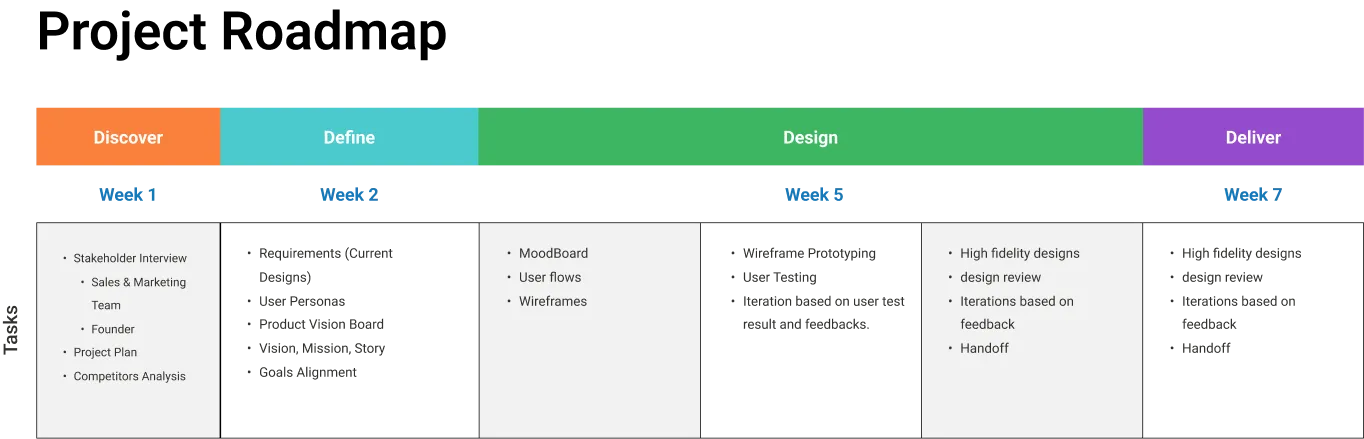
A well-crafted product roadmap acts as a reference point, a guiding document, and a strategy for the company to follow for its future initiatives.
At Spoke Design Labs, we trust in user research and product roadmaps because these processes help establish a clear path forward for app builds. We continually leverage research throughout the process to build insights and inform decisions that affect our partners and their users.
Our process includes conducting research and synthesizing it to build YOUR app, accordingly. We intentionally embed research and design together, allowing designers to listen to and participate in ongoing research while simultaneously using that information to design the user experience.
Again, a major tool for user research is interviewing users. Once we interview potential users, we follow up with a mini synthesis session to go over notes, helping design and development move forward with their tasks.
Your research process always uses secondary research—research you’ve already invested—plus our primary research to reveal actionable insights, allowing you to determine the best course of action.
Start your app build with user research
When you’re in the beginning stages of your design project and you have just finished some highly informative interviews and observations in the context of your users, your head is full of impressions. You have a feeling for the different types of users who exist, and you have heard some similarities in their stories that you feel should guide the design process.
But how do you get these impressions out, into the minds of your designers and the client?
Personas are very powerful tools that will help you do just that.
Creating personas is a powerful way to make the user group come alive to your design team members and clients. Developing an engaging persona starts with user research. Then, you balance the data you collected with some fictitious information that evokes empathy. When developing a persona, you should strive for a good balance between research data and fictional details to ensure credibility and applicability. Also, the balance between short and to-the-point information, and more elaborate scenarios is important for overview and engagement.
After diving into deep user research of Znap Cash's audience, here's what we created, as an example. Which was bifurcated into Goals, Frustrations, Expectations and Needs.
As a goal, Christofer Dorwat likes to go out for fun nights and wants to have loads of food that is budget friendly. But the challenge is, he wants to explore unique places but is uncertain in doing so. Wherein to overcome the challenge he wants to know about the place beforehand through reviews, ratings, provided discounts and offers.
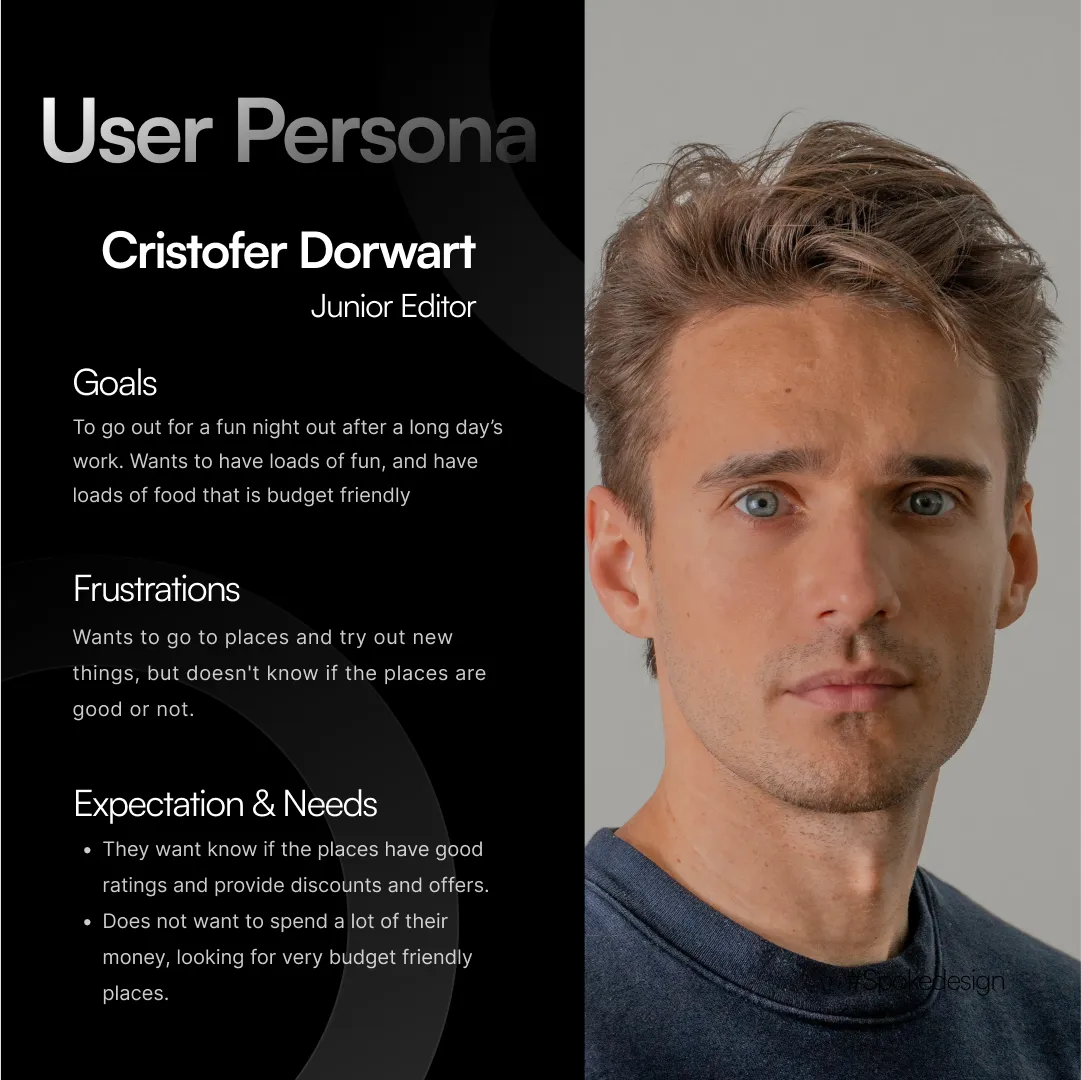
This is just one of the instances of what a persona could look like which helped us in understanding the diverse needs and behaviors of our target audience.
A good persona includes six main elements:
Once you have them, though, they can help your design and product teams think more actively about your users and incorporate them into the decision-making process.
To end,
Developing a product roadmap or successful app doesn’t happen overnight. You need a finger on the pulse of what people want and need, so start with user research!
By interviewing potential users and stakeholders, you set your product up to delight customers and meet their needs. Detailed user research opens the door to creating a solid roadmap and making confident decisions about the direction of your new app.
Ready to take the next step and create your new product?
Well then, make sure to reach us at hello@spoke.design or just say come "Hi", here! ;)
Also, make sure to be around, we’ll be back soon with a more detailed design process we followed to design Znap Cash.