
October 16, 2026
Why B2B Website Redesign Projects Fail Even When The New Design Looks Better
Read Full

The site is slow, every change waits for the developer who built it, and a plugin update broke the contact form for two days before anyone noticed. Webflow comes up, a demo looks clean, and the question becomes how hard the move really is.
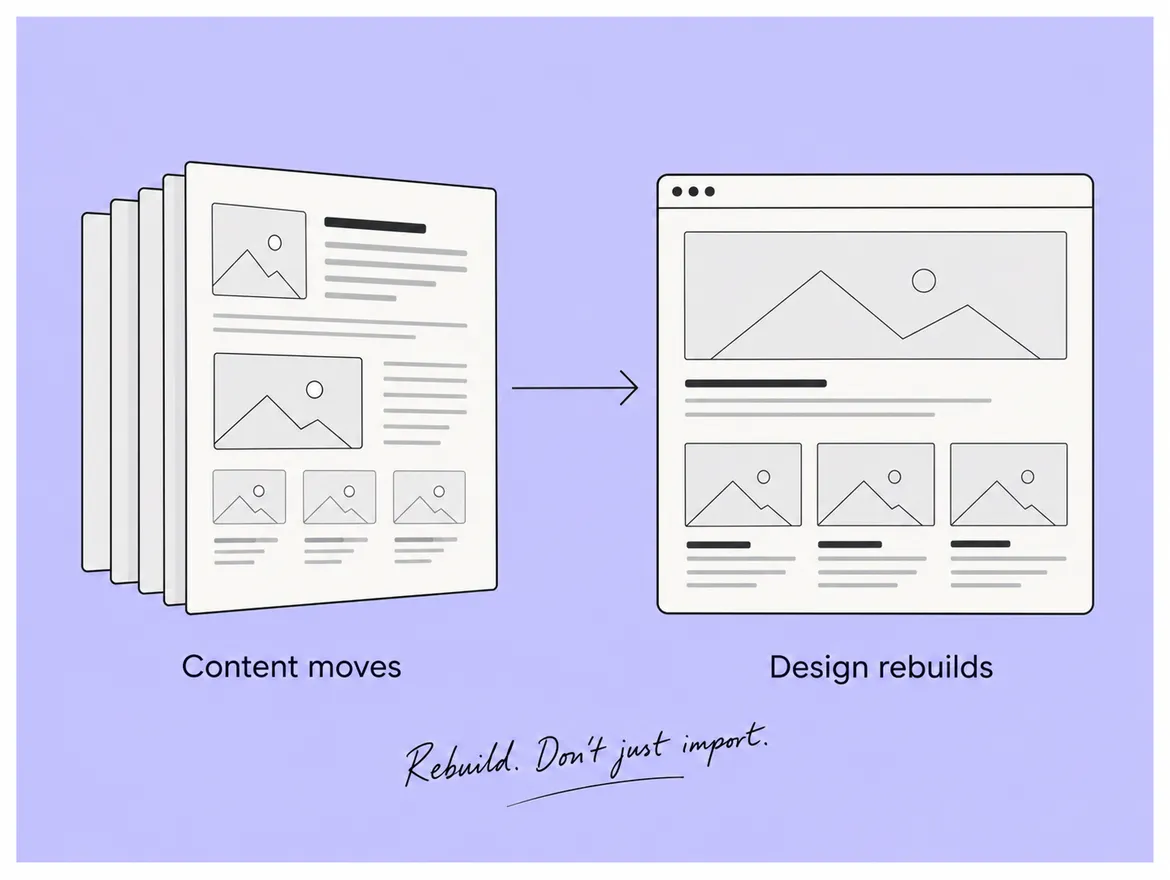
The honest answer is that almost nothing moves the way people imagine. The design is rebuilt, the content comes across through a spreadsheet with conditions attached, and the plugins do not come across at all.
Three layers sit on top of each other in a WordPress site, and only one of them travels. Separating them is the fastest way to understand what you are actually buying.
The second layer sounds like bad news and rarely is: most teams migrating wanted a redesign anyway, and rebuilding is how six years of accumulated layout decisions stop being carried forward. The third layer is where budgets go, and it differs on every single site, which is why few guides discuss it.
A wordpress to webflow migration is not a move at all. You are building a website and bringing the content with you.
Because that list, not the page count, is what decides the quote and the timeline. Before anybody opens a design tool, put every active plugin into one of four columns.
Column three is the quote. Column four is usually half the list, and finding that out early is worth more than any discount.
A pro tip: run the audit as a conversation, not a spreadsheet exercise. Sit the person who runs the site next to whoever gets called when it breaks and go through the list out loud. Twenty minutes of that beats a week of assumptions. Spoke's Webflow development service treats that audit as part of scoping rather than a discovery phase you pay for twice.
It transfers through a spreadsheet, and a spreadsheet is a very literal thing. Webflow's WordPress migration guidance sets out the route: content leaves WordPress in XML format, you convert it to CSV, then create a Collection, import the file and map each column to a field, checking your plan's item limits first because the number of items you may hold is tied to what you pay for.
The conditions are where the work hides. Webflow's import documentation states that a CSV file can be up to 4MB, that images imported this way do not get responsive image variants so you should use images that are already sized and optimised, that rich text embeds may be cleaned up where elements or attributes are not supported, and that file fields do not map at all and must be uploaded afterwards. Commercially, each of those is an afternoon somebody has to spend: large archives come across in batches, attachments are re-uploaded by hand, and a proposal saying content migration has quietly described several days of work as one line.
Speed is one of the commonest reasons teams leave WordPress, and this is where a project can undo its own purpose. If the blog arrives by spreadsheet carrying unoptimised images with no responsive variants, the new site can be slower on exactly the pages that hold your search traffic. Optimise before the import, or accept that the top forty posts get their images redone by hand afterwards. What does not work is discovering the choice in month two.
By mapping every address that earns, before launch rather than after. Every address on the site is about to change, and each one you fail to map is a page that stops existing.
This is the largest risk in the project and it is entirely preventable, because it is a list: every address that received a visit in the last twelve months, and every address with an inbound link. Spoke's client work includes sites moved with that list built first.
Webflow's redirect documentation describes the mechanics and one genuine trap: redirects import as a CSV of old path and new path, up to 16MB, the site must be published for them to take effect, and a new import overwrites all existing redirects. That last behaviour catches teams who build the map in pieces and upload each piece as it is finished, wiping the earlier work with no warning. Keep one master file and import it in full every time.
Weeks rather than days, and that is documented rather than hopeful. Google's site move guidance states that a small to medium-sized site can take a few weeks for most pages to move across and that larger sites take longer, recommends keeping redirects in place for at least a year, and advises moving all addresses at once unless the site is large enough that staging a test is worthwhile. The business consequence is an expectation to agree with your board before launch rather than during it: results will be unsettled for a while, that is normal, and it is not evidence the move failed.
The mistake is judging the move at day ten, panicking, and changing things, which restarts the clock on everything just changed.
Four things, and an honest guide names them rather than pretending the trade is one-way.
The last point deserves an honest counter: a WordPress site running twenty-two plugins is also dependent, just on twenty-two smaller companies instead of one. What you gain is that marketing publishes without a developer, nothing breaks because a plugin updated itself overnight, and the design stops drifting.
Three things, and the size of the site is not one of them. Most of these projects run from a few weeks to a quarter.
A second pro tip: do not run a migration and a full rebrand together. Both can go wrong, and when something drops you will not be able to say which one caused it. Spoke's web design and development work shows projects sequenced the other way round.
Less than most guides suggest. Structure, redirects, images and content readiness behave the same everywhere.
Two things do change in practice. Your consent and cookie setup is almost certainly one of the plugins in the audit, and its replacement has to be chosen deliberately rather than inherited, because it is the one most often forgotten and the most visible when it is missing. The second is procurement: UK buyers in professional services and enterprise often run supplier reviews asking where the site is hosted and who has access, and those questions are easier to answer for one platform than for a stack of plugins. Webflow development UK teams commission should cover both at scoping rather than in week six.
Eight steps, and the client owns or approves seven, which is why these projects run late on the client side more often than the studio side.
The longer guides behind each of these steps sit on the Spoke blog.
Migration is the wrong word for this project, and the wrong word sets the wrong expectations from the first meeting. A wordpress to webflow migration rebuilds the design, brings the content across through a spreadsheet with conditions attached, and turns every plugin into a decision nobody else can make for you. Audit the plugins first, build the redirect map from what actually earns, optimise images before they are imported, keep one master redirect file, and give the results a quarter to settle. Teams who plan it that way describe the move as uneventful; teams who treat it as an import describe it as the quarter they lost. Spoke handles Webflow development UK projects end to end, from the plugin audit through to the redirect map. If you want that plan written down before anything starts, book a call with the team and bring twelve months of analytics rather than a page count.
Q: Will we lose our search rankings when we move to Webflow?
A: Not if the addresses are mapped properly. Rankings follow pages, and a page that returns nothing loses what it earned. Pull the addresses that received visits in the last twelve months, map each one to its closest equivalent rather than to the home page, load the redirects at launch, and expect several unsettled weeks while the change is recognised.
Q: Does all our blog content come across?
A: It can, through a CSV import, but not untouched. Images arrive without responsive variants, rich text embeds may be cleaned up, file fields do not map at all, and large archives have to be imported in batches. Decide what genuinely needs to move before you start, because bringing across four hundred posts nobody reads is work you pay for twice.
Q: What happens to our plugins?
A: They do not come across. Each one becomes a decision: native in the new platform, replaced by a third-party tool, built as custom work, or dropped. Doing that audit before design starts is the most useful hour in the project, because the custom column is what determines both the quote and the timeline you are given.
Q: Should we redesign at the same time?
A: You effectively are, because the design is rebuilt regardless. What you should avoid is a full rebrand and new positioning in the same window. Move first with the message you already have, confirm the numbers settle, then evolve the design with a working baseline to measure against rather than guessing at what changed.
Q: How long should we keep the redirects in place?
A: At least a year, which is what the search engine's own guidance recommends, and longer where it costs you nothing. Redirects are cheap to keep and expensive to remove early, because links pointing at your old addresses from other sites do not update themselves when you decide the move is finished.
Let’s Connect.
Have a project in mind or want to explore how we can help your business grow?