
April 12, 2023
PART 2: Applying Usability Heuristics and Competitor Analysis: Znap Cash Case Study Design Process.
Read Full

The CMS problem almost never shows up where people are looking for it. It shows up eight months after launch, when the blog has four hundred posts, three people are publishing to it, and someone in marketing asks why they can't filter case studies by industry and product line at once.
The answer is usually that nobody decided, back when there were twelve posts, that industry and product line would ever need to be separate things. This is the part of CMS planning tutorials skip, because they're written for someone building their first collection, not someone explaining to legal and a head of marketing why the site needs rebuilding to do something that sounds simple.
A content model is the set of decisions about what a "thing" is on your site, before anyone decides what it looks like. A case study is a thing. A team member is a thing. An industry is a thing, or it's just a word stuck in a text field and that distinction is the most consequential decision in a webflow cms architecture exercise.
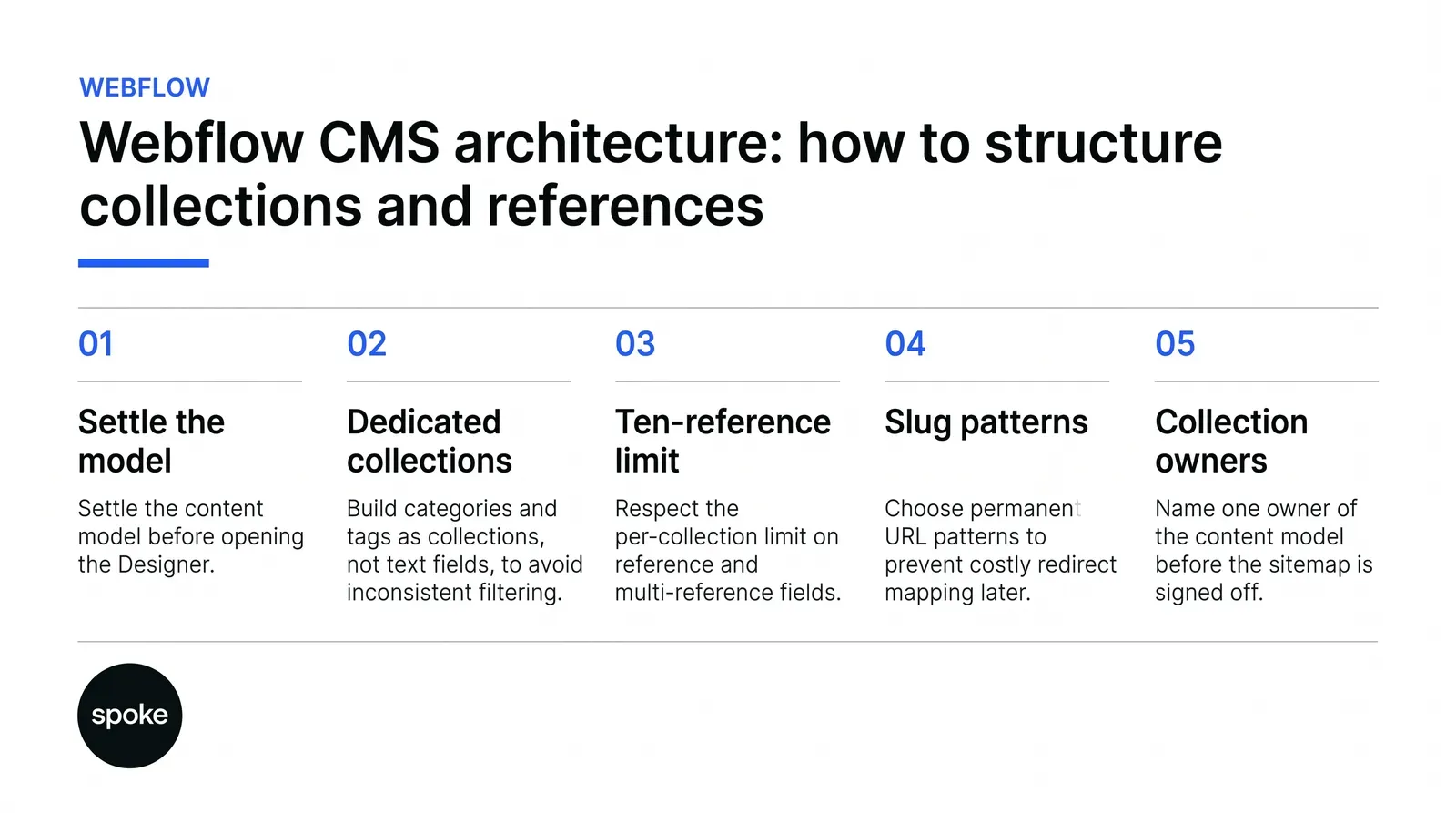
Get the model right and the CMS feels invisible: editors publish, filters work, pages render themselves. Get it wrong and every six months somebody asks for a feature that should take an afternoon and instead takes a rebuild. The model should be settled before anyone opens the Designer, not refined once content already exists.
That means a short, unglamorous exercise: list every repeating content type on the site, list every attribute each type needs, and mark which attributes are shared across types. If "industry" appears on case studies, testimonials and team bios, it's a collection, not a text field repeated three times with three different spellings of "Financial Services." Reviewing a handful of real builds is the fastest way to see this done properly. Our Webflow project work shows how different content models hold up at different sizes.
Most marketing sites genuinely need somewhere between three and six collections: Blog, Case Studies, Team, maybe Locations or Services. That number gets quoted everywhere, and for a company with one content editor and a straightforward site, it's correct.
It stops being correct the moment you have more than one audience or more than one kind of relationship between content types.
A B2B site with products, use cases, industries, a team directory, certifications, partners, a resource library, testimonials, case studies and related services isn't a six-collection site. That's ten collections before you've touched the blog, and each wants to reference several of the others.
The gap between the two situations isn't content volume. It's how relational the content is. A site can hold thousands of blog posts and stay simple, because blog posts mostly relate to one thing, an author. A site can hold two hundred case studies and be structurally complicated, because every case study relates to an industry, a product, a use case and a set of logos four relationships, however many other collections need the same four back.
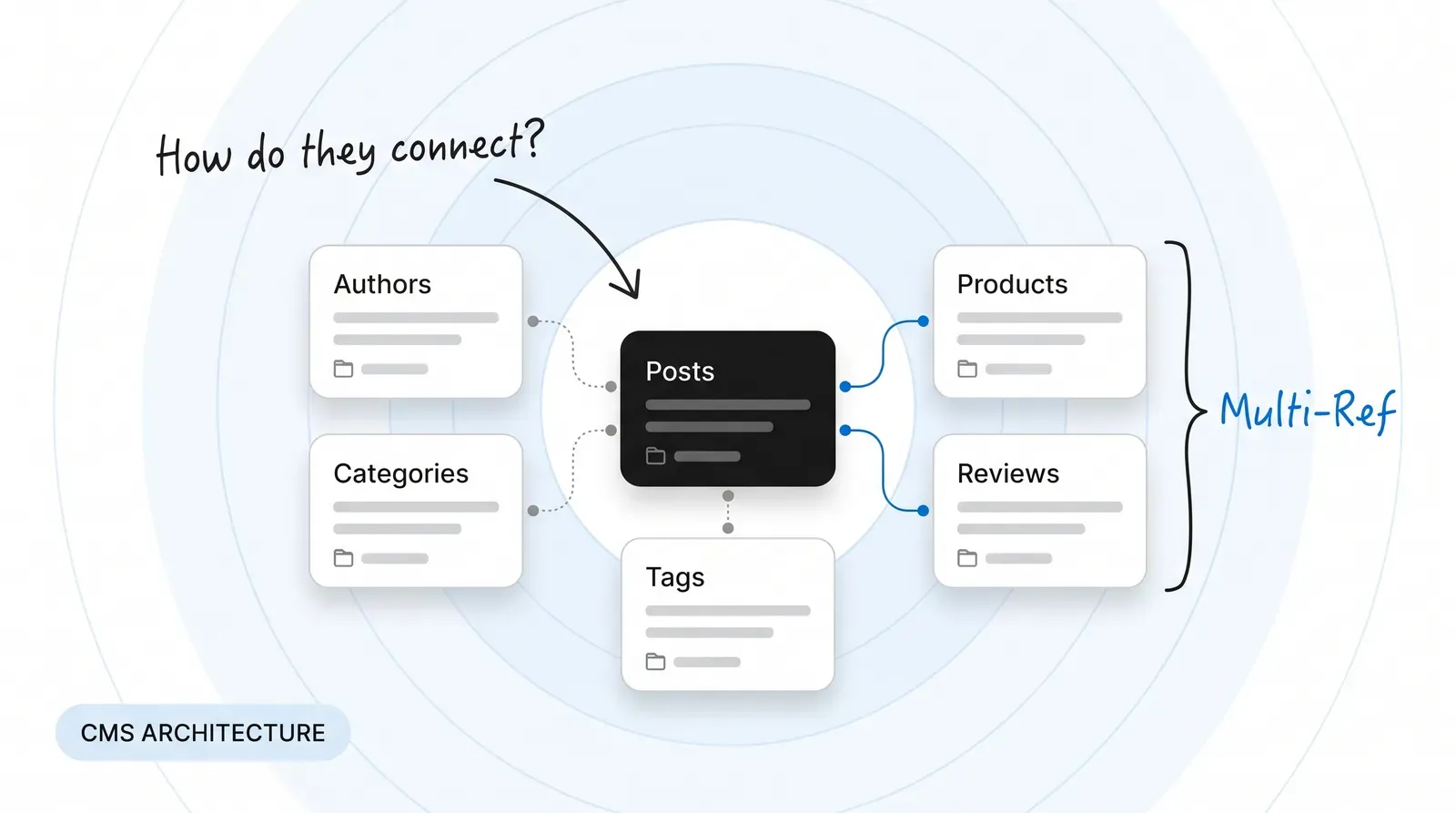
A reference field links one item to exactly one item elsewhere, a case study to a single primary industry. A multi-reference field links one item to many case studies tagged with several services. Use a single reference where the relationship is genuinely one-to-one. Use multi-reference where an item can belong to more than one group at once, which is most taxonomy relationships in practice.
The field type you choose isn't cosmetic. A reference field renders as one value; a multi-reference renders as a list, and front-end filtering behaves differently depending on which you picked. Filtering by a multi-reference field is possible, but the logic has to account for "any of" versus "all of" matches, and that needs deciding before templates are built our web design scope work usually settles this during planning, not mid-build.
Each collection can hold a maximum of ten reference or multi-reference fields on Business plans, and five on CMS plans, according to Flowvibe's and Sygnal's documentation. That sounds generous until you count.
A product collection referencing use cases, industries, team members, certifications, partners, resources, testimonials, case studies and related services is already at the limit before anyone's added "related blog posts." Highly connected content models reach that ceiling fast, and it's the tightest limit on any plan below Enterprise, per Digidop's analysis though Enterprise multi-reference fields support up to 1,000 items each, according to Flowout's knowledge base, which mostly matters once you're past the decisions covered here.
When you hit the limit, there are three real options:
What you shouldn't do is discover the limit mid-build and quietly drop a relationship to make the count work. That decision belongs with whoever owns the content model.
Treat categories, tags and industries as collections, not text fields, the moment more than one content type needs to share them. The test is simple: if "Healthcare" needs to mean the same thing on a case study, a blog post and a team member's specialism, it has to live in one place. A text field gives you "Healthcare," "healthcare," and "Health Care" within a year, written by three different editors, and none of them filter together.
This is the failure mode that's cheap to avoid early and expensive to fix late. Free-text categories don't just look messy, they make filtering silently wrong, missing every item where someone typed the value slightly differently. Rebuilding that after five hundred articles means auditing every item, standardising values, converting the field type and remapping a content project, not a five-minute fix.
The trade-off is real. Every taxonomy split into its own collection adds an entry to your reference field count and a dropdown to the editor interface. A model with eight taxonomy collections, each referenced from three content types, does more for filtering but is harder to edit. Your team is choosing from eight dropdowns per item instead of filling in a couple of text fields. The right number is the number your filtering and reporting actually require, not every attribute someone can imagine wanting to slice by later.
Name collections singular, for what the item is "Case Study," not "Case Studies." Webflow handles plural display for you, and consistency here mainly matters six months from now, when a developer who isn't you is reading the Designer tree.
Slugs matter more. Whatever URL pattern you choose for dynamic pages, treat it as near-permanent, because restructuring a live collection means rebuilding it, remapping every reference and setting a 301 redirect for every item that moved, according to Development Rocha's guide. That's not a design task. It's a list of every inbound link, every internal link, every backlink anyone's earned, each mapped and redirected individually. Decide the pattern with SEO in the room before the sitemap is signed off.
SEO fields meta title, meta description, OG image belong on every dynamic page type that renders as a standalone destination, like blog posts and case studies. Filtered or archive views computed from taxonomy don't need manually-set fields of their own; forcing one onto every filter combination creates duplicate, unmaintained metadata. For more on how this sits alongside the rest of the build, our web design and development work covers it in context.
Optional fields on those same templates need conditional visibility rules, or the page renders gaps. If a case study sometimes has a client logo and sometimes doesn't, the layout needs to collapse that space when the field is empty otherwise you get a visible blank box or an orphaned label. This isn't an edge case. It's the default state of any field that isn't required on every item, which is most fields beyond title and body. Skipping it is faster to build and guaranteed to produce a page that looks unfinished the first time an editor leaves a field blank.
Nested collection lists show related content inside a dynamic page, a case study listing related resources. Current Webflow sites support up to ten nested lists per page, a hundred items per nested list, and three levels of nesting, according to Digidop's documentation.
Three levels sounds like plenty until you draw the hierarchy some content models want: product, under category, under industry, under region four levels before you've added a fifth for segment, and it won't fit the structure Webflow renders cleanly. The fix isn't clever nesting. It's flattening the hierarchy into tags and filters, or accepting that part of the data belongs somewhere else, a point covered in Webflow's own Collection List Patterns guidance.
Collection size has its own threshold, separate from nesting. Collections exceeding roughly a thousand items start to show noticeable slowness in the Designer's CMS interface, though the published site generally performs fine with proper pagination and filtering in place, per Flowout's knowledge base. The pain shows up for your team, not your visitors editors scrolling a sluggish panel, not customers waiting on page loads.
If a collection is heading toward that size, plan pagination and filtered views from the start; retrofitting filters onto a collection that's already grown unwieldy means rebuilding the browse experience while editors are using it. Webflow's own Webflow CMS Help Centre documentation covers the pagination settings this depends on.
Restructuring a live collection means rebuilding it, remapping every reference that pointed into it, and setting a 301 redirect for every URL that changes, according to Development Rocha's guide. Saying that plainly to whoever's asking for the change, because "can we just split categories out into their own collection" sounds like an afternoon's work. It's actually: export existing items, decide how current text values map onto new taxonomy items, rebuild every content type that referenced the old field, fix every template that displayed it, test that nothing live breaks, and only then start redirect mapping.
None of this is unique to Webflow; any CMS restructure carries this cost. It's worth naming plainly because the request rarely arrives framed as a rebuild. It arrives framed as a small ask from marketing or product, who don't see the collection schema. The right response isn't to refuse it. It's to cost it honestly before agreeing to a timeline, and to involve whoever owns SEO before any slug changes.
One editor publishing to a handful of collections needs almost no process beyond this. The moment five or more people are publishing, with marketing wanting self-serve speed and legal wanting review before anything goes live, the Editor alone stops being enough it has no native approval gate and no versioning a compliance-minded team will find reassuring. At that point who can publish without review, and where sign-off happens, becomes an organisational decision, not a technical one.
|
Approach |
Suited to |
Reference fields used |
Content reuse and filtering |
Cost / limit |
|
Flat, single-collection |
Small teams, simple content, one editor |
Minimal, mostly none |
Basic, no cross-type filtering |
Cheap to build, breaks as content diversifies |
|
Relational, multi-reference |
Growth-stage B2B with shared taxonomies |
Heavy, approaches the per-collection limit |
Strong, supports layered filtering |
Hits the ten-reference ceiling fastest |
|
Hybrid-decoupled |
150+ person companies with one large catalogue |
Moderate, split across Webflow and external data |
Strong within Webflow, full control externally |
Needs two systems kept in sync |
|
External headless CMS with Webflow front end |
Enterprise, multi-team, compliance-heavy |
Managed outside Webflow entirely |
Highest reuse across channels |
Most setup time and ongoing governance |
If your catalogue runs into tens of thousands of items with many attributes each pricing tiers, regional variants, certifications and partner relationships all on every product you'll exhaust the reference field limit and the editing experience long before the business exhausts what it needs the data to do. That's a sign the product data belongs in an external system, with Webflow pulling in only what's needed to render the page, a pattern Webflow's own Webflow Collections Documentation touches on without naming the threshold directly.
If your content has genuine hierarchical depth organisation, division, team, project, milestone, five levels deep Webflow's nesting ceiling fights you the whole way, and no amount of clever field structuring changes that it isn't built for an org chart. And if your organisation needs strict change control or compliance sign-off on every content change, with versioning as a requirement rather than a nice-to-have, that's a governance need Webflow's native tools don't fully cover.
None of this means abandoning Webflow for the rest of the site. It usually means a hybrid: most content stays in Webflow CMS, where the editing experience and design control are genuinely good, while the one collection that's outgrown it is served from an external source and surfaced into Webflow pages, which is the kind of decision our Collection Template Guidance discusses in more detail. That's a bigger decision than anything covered here, and it's worth making deliberately, with whoever owns product data at the table.
The least technical part of this is often the part that goes wrong: nobody is named as the owner of the content model. Marketing wants a new attribute for filtering; product wants specs kept in sync with an internal database; legal wants an approval gate; whoever's paying for the build wants to know it won't need rebuilding in eighteen months. Each is a legitimate stake in the same structural decision, and none individually has the authority to decide it.
Before the sitemap is signed off, it's worth naming one person, usually whoever owns the website day to day as the approval of new collections and new reference relationships, with a short written record of why each collection exists and what it's allowed to reference. It doesn't need to be elaborate, just real enough to settle an argument six months from now. A Webflow design agency brought in at this stage is usually there to make that record, not just the build.
If you're a small team with one editor and a straightforward site, three to six flat collections will serve you for years and don't build relational depth you don't need yet. If you're a growth-stage company with shared taxonomies across products, case studies and team content, plan the relational model and the reference-field budget before build starts, because that's where webflow cms architecture decisions get expensive to undo later. If you're managing large catalogues or genuine compliance requirements, Webflow CMS alone probably isn't the full answer, and a hybrid approach is the honest one.
Settling this before design starts is cheaper than any restructure later.
See more of our thinking on the Spoke blog, shaped by actual Webflow build work rather than theory, and a webflow development agency uk can usually tell within an hour which of these situations you're in.
If you'd rather talk it through than guess, get in touch directly.
Q: How many collections should a typical marketing site have?
A: Most marketing sites with one editor need three to six collections blog, case studies, team, and perhaps locations or services. That number rises quickly once content types share taxonomies or relate to each other in several ways. Count relationships, not just content types, before settling on a figure.
Q: Should I create a separate collection for categories or use a plain text field?
A: Use a collection the moment more than one content type shares the same category, tag or industry value. A text field invites inconsistent spelling across editors, which quietly breaks filtering. The cost of a dedicated collection is one more dropdown for editors, which is cheaper than fixing filtering later.
Q: What happens if I exceed the reference field limit per collection?
A: You can't add an eleventh reference field on a Business plan, or a sixth on CMS. Teams usually merge two conceptually similar relationships, move one relationship to a plain option field, or conclude the content needs an external data source. Decide which approach before you're mid-build, not during it.
Q: Can I restructure my collections after content is already published?
A: Yes, but it means rebuilding the collection, remapping every reference and setting a 301 redirect for every URL that changes. It's rarely a quick fix once hundreds of items exist. Cost it honestly before agreeing to a timeline with whoever requested the change.
Q: How many items can a collection hold before performance suffers?
A: Collections past roughly a thousand items start to slow down inside the Designer's CMS interface, though the published site typically performs fine with proper pagination. Plan filtering and pagination before a collection approaches that size, not after editors start noticing the lag.
Q: Can I filter by multi-reference fields on the front end?
A: Yes, but the filter logic needs to account for whether an item should match any of the selected values or all of them, and that decision changes how the filter is built. Decide this during template planning rather than after editors start tagging content inconsistently.
Q: What's the right number of fields per collection for a scalable site?
A: There's no fixed number, but the reference field count matters more than the total field count, since it's capped at ten on Business plans and five on CMS plans. Build only the relationships your filtering and reporting genuinely need, and leave room under that ceiling for growth.
Let’s Connect.
Have a project in mind or want to explore how we can help your business grow?