

August 3, 2022
How to create a goal-oriented product design brief?
Read Full

The quickest way to make a store faster is to delete things. Remove the review widget, the size guide, the search app, the bundling logic, and the numbers improve immediately. They also improve for a store that now sells less, because every one of those was doing a job. Speed work that ignores what it costs is not optimisation, it is amputation with a dashboard.
Most speed conversations start with a number nobody can explain. Knowing how it is built changes what you do about it, because the number is narrower than teams assume, and that is where our Shopify development work starts on an existing store.
Shopify's web performance documentation states that the score combines data from your home page, your most visited product page and your most visited collection page over the last seven days, using real-user data from visitors on Chromium-based browsers and Firefox. Each page score represents actual visitor experiences rather than simulated tests. For a good status, at least 75 per cent of page loads need good scores across all three Core Web Vitals.
Three consequences follow. Your score describes three pages, not your store, so a slow but important page outside that sample is invisible. It moves with traffic mix as well as with your changes, which is why Shopify suggests a weekly or monthly filter when low traffic causes large swings. And because Core Web Vitals are currently collected only on Firefox and Chromium-based browsers, an iPhone-heavy audience is underrepresented in the figure you are optimising.
Shopify’s guidance on testing theme performance gives the weighting used for its speed score: home 17 per cent, product 40 per cent and collection 43 per cent. It sets an acceptance benchmark of a minimum average Lighthouse performance score of 60 across home, product and collection pages on both desktop and mobile, as a plain average.
That weighting is the most actionable number in this article. A team that spends its effort on the homepage, which is the page leadership looks at, is working on 17 per cent of the measurement and usually a smaller share of the revenue. Collection and product pages carry 83 per cent between them.
The same guidance warns that a single Lighthouse run can vary by 5 to 10 points, and asks you to compare median scores from multiple runs. Its method is specific: use Chrome Incognito, run each URL at least three times, append the parameter that disables preview bars, and hold device and network conditions constant. A team comparing one before-run against one after-run can easily report a win that is measurement noise.
Apps are where speed and functionality actually collide, and the honest position is that most of them cost something. Shopify's performance guidance for app developers asks that apps be optimised to minimise their impact, be built with theme app extensions rather than editing theme code, use app embed blocks so scripts load only on pages that need them, and host static assets on Shopify’s CDN.
The measurement method it gives app developers is the one merchants should borrow: compare Lighthouse scores before and after installation, run the tests several times, and average them. It sets no numeric script size limit, so there is no threshold to point at in an argument. The only benchmark is the before-and-after comparison.
That turns the question from whether an app is slow into whether it is worth its cost. An app adding 300 milliseconds to a product page carrying 40 per cent of the weighting is expensive. The same app on a page nobody visits is not. Measure it where it runs, not in general.
Installing takes a minute and uninstalling requires knowing who asked for it and what breaks. List every installed app with the page it loads on, the job it does and a named owner. The ones with no owner and no job are the free savings. The rest are a decision, and that decision belongs to whoever owns the revenue the app supports.
The weighting only covers three page types, but speed work affects more than three. Below is where the score actually looks, what usually slows each page, and the functionality a careless fix would remove.
|
Page type |
Weight in the score |
What usually slows it |
The cost of stripping it |
|---|---|---|---|
|
Collection |
43 per cent |
Filters, large grids, review widgets |
Filtering and sorting customers rely on |
|
Product |
40 per cent |
Image galleries, variant logic, app blocks |
Size guides, reviews, bundling |
|
Home |
17 per cent |
Hero media, carousels, marketing tags |
Campaign banners and personalisation |
|
Cart |
Not scored directly |
Upsell and shipping-estimate apps |
Anything that changes the order value |
|
Search |
Not scored directly |
Third-party search and recommendation |
Results quality and zero-result handling |
The last two rows are the trap. Cart and search carry no weight in the score, so stripping apps there improves nothing measurable while removing things customers use. A team optimising the number rather than the store will reach for them anyway, because they are the easiest places to cut.
The underlying metrics are not Shopify’s. Google’s Web Vitals documentation gives the three thresholds: Largest Contentful Paint within 2.5 seconds, Interaction to Next Paint at 200 milliseconds or less, and Cumulative Layout Shift at 0.1 or less, measured at the 75th percentile and segmented across mobile and desktop.
Two things in that are worth carrying into a Shopify project. Lab tools cannot measure Interaction to Next Paint, because there is no user input, so an interactivity problem will not appear in a Lighthouse run at all. And the 75th percentile means a quarter of your visitors can be having a worse time than your reported figure suggests. On a store with a wide device range, that quarter is where the lost orders are.
Shopify adds a caution worth repeating to anyone setting a target: there is no perfect score, and it advises optimising for your business needs rather than chasing 100. The same discipline applies to any web design and development project.
On a recent store, the team removed a product review app to improve the score and the product page did get faster. Three weeks later the support queue filled with questions the reviews had been answering, and the app went back. Measuring it properly the second time showed the cost sat almost entirely in a script loading on every page rather than only on product pages, which the app’s own settings could fix. The reviews stayed and the page got faster. You can see the shape of that work in our case study library.
Direct edits to theme code make a theme update risky, so updates get skipped, and the store stays on an older and usually slower base. Shopify’s guidance for apps prefers theme app extensions precisely because they do not edit theme code. The same logic applies to your own customisations. More on that in our writing.
Product photography comes from a supplier or a shoot at print resolution and goes straight into the catalogue. Nothing visibly breaks, so nobody notices until the collection grid is carrying several megabytes of images. Set a maximum dimension at the point of upload rather than auditing it later across a grown catalogue.
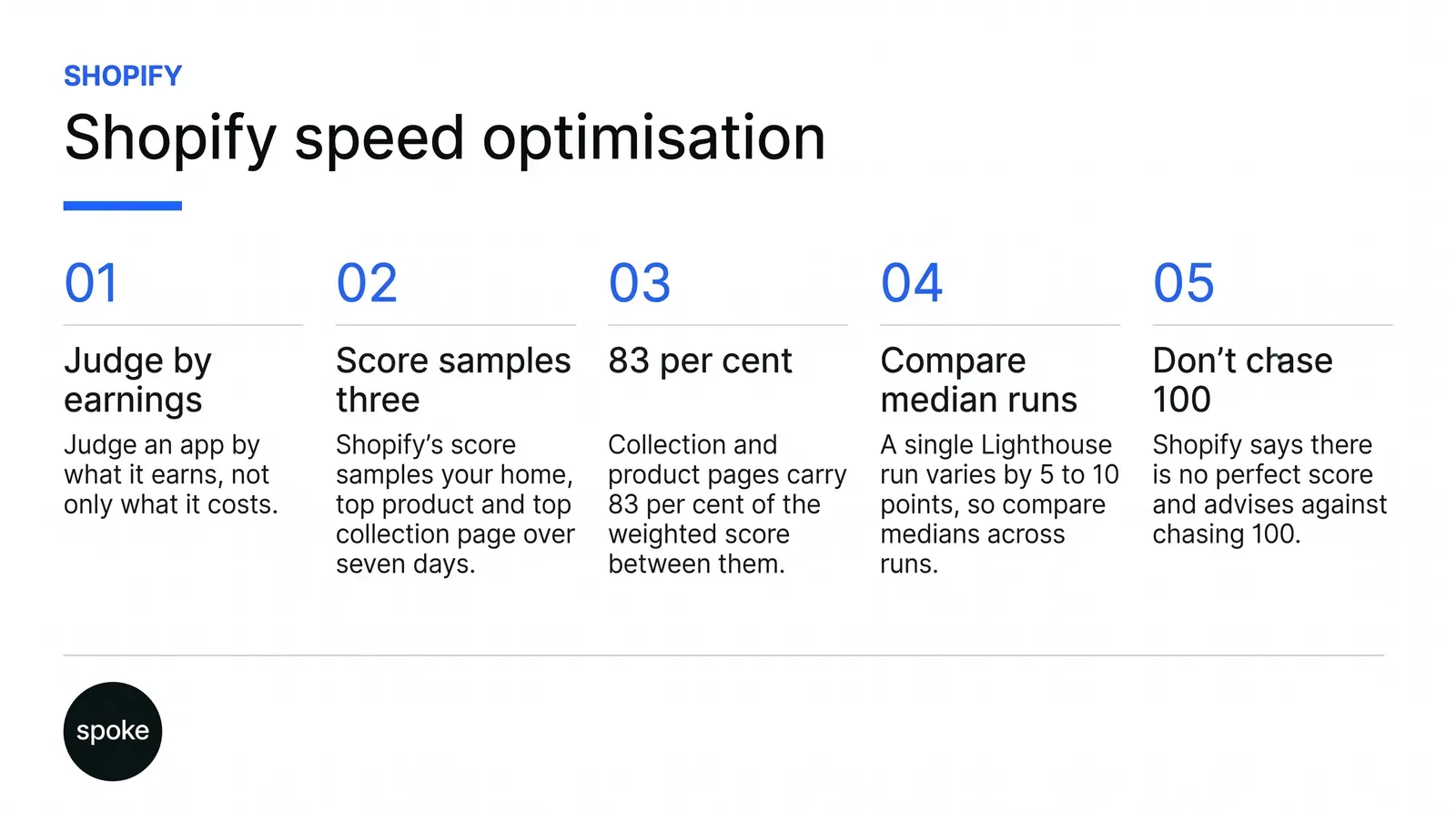
If your score is poor and you do not know why, start with the weighting rather than the homepage, because collection and product pages carry 83 per cent of it between them and the homepage is where most teams look first. If you are considering removing an app, measure it on the page it loads on and against the revenue it supports, since the only benchmark Shopify offers is a before-and-after comparison and that cuts both ways. And if you are about to set a target, do not set it at 100, which Shopify itself advises against. If you want a second opinion on yours, talk to us.
Q. How is the Shopify speed score calculated?
Ans. It combines real-user data from your home page, your most visited product page and your most visited collection page over the last seven days, from visitors on Chromium-based browsers and Firefox. For a good status at least 75 per cent of page loads need good scores across all three Core Web Vitals. It samples three pages, so it does not describe your whole store.
Q. Which pages should we fix first?
Ans. Collection pages, then product pages. Shopify weights its speed score at 43 per cent collection, 40 per cent product and 17 per cent home, so those two carry 83 per cent between them. The homepage attracts attention because leadership looks at it, but work there moves less than a fifth of the measurement and usually less of the revenue.
Q. Should we remove apps to get faster?
Ans. Only after measuring each one where it runs. Shopify sets no script size limit and offers only a before-and-after Lighthouse comparison as a benchmark, run several times and averaged. An app costing 300 milliseconds on a product page is expensive; the same app on a page nobody visits is not. Weigh the cost against what the app earns.
Q. Why does our score keep moving when we change nothing?
Ans. Because it is built from real visits, so it shifts with traffic mix as well as with your work. Shopify suggests a weekly or monthly filter when low traffic causes large swings. Separately, a single Lighthouse run varies by 5 to 10 points, so lab comparisons need median values from at least three runs to mean anything.
Q. Does a shopify seo expert need to be involved in speed work?
Ans. It helps, because the same three pages carry both the speed weighting and most of the organic landings, and a fix that strips filtering or review content can remove indexable content along with the milliseconds. Agreeing which elements are load-bearing for search before removing anything avoids trading a performance gain for a ranking loss.
Let’s Connect.
Have a project in mind or want to explore how we can help your business grow?