
January 25, 2023
Web3 Design challenges and How to Overcome them.
Read Full

Most Shopify stores are structured twice. Once by whoever set the store up in week one, and again, accidentally, by everyone who has added products since. The first structure was a decision. The second is sediment. By the time anyone looks properly, collections overlap, the same product sits in four places under three names, and the menu has grown to a level nobody meant to add.
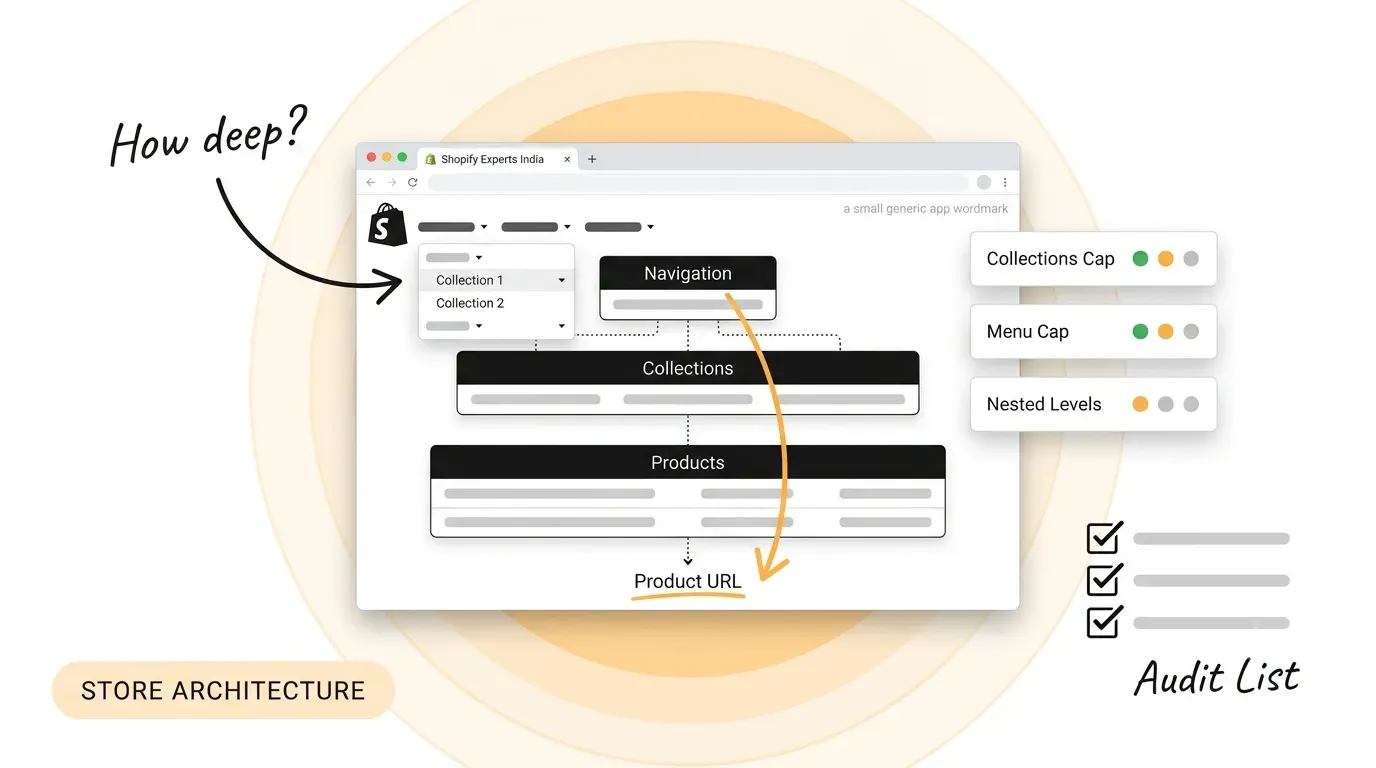
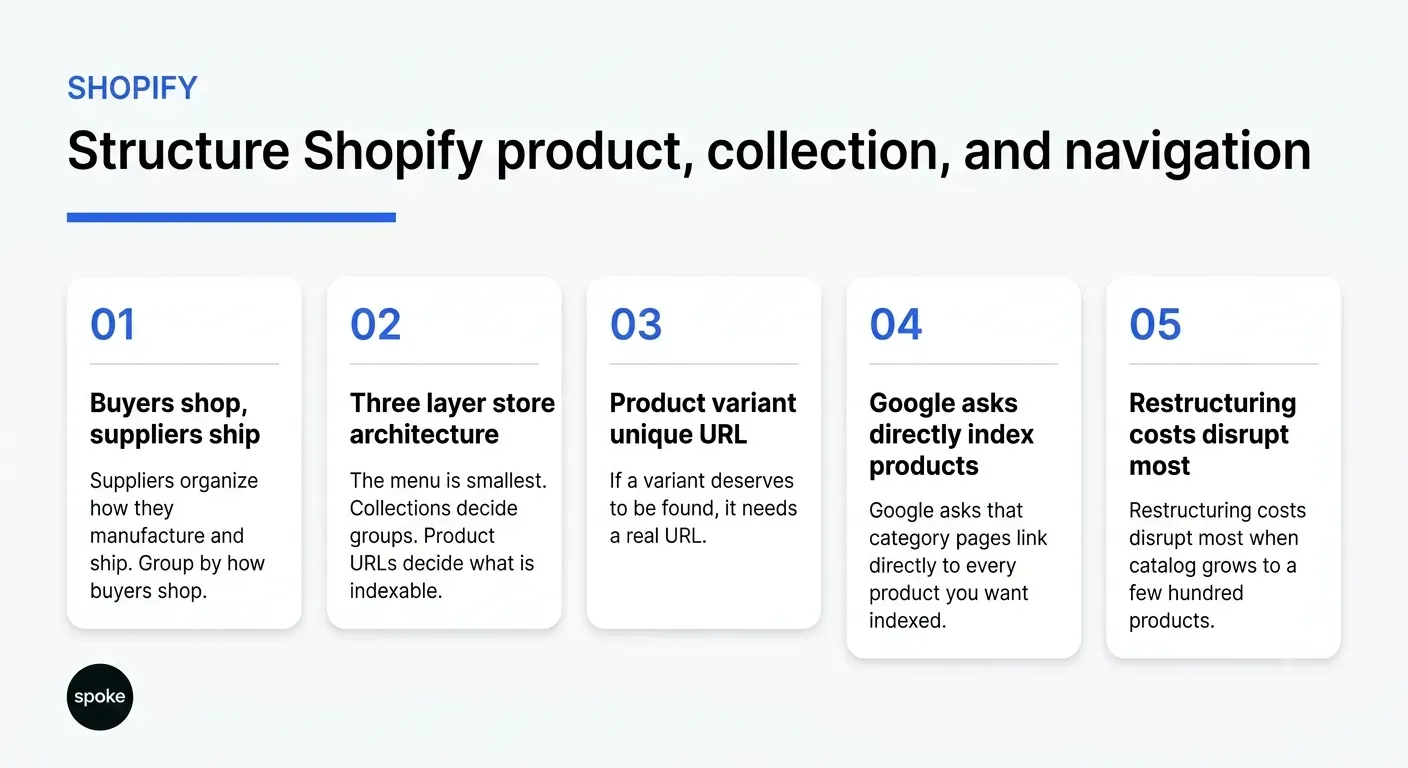
Ask where a store’s structure lives and most people point at the navigation. The menu is the smallest of the three. Underneath it sit the collections, which decide what groups exist at all, and underneath those sit the product URLs, which decide what can be linked to and indexed. Change the menu and you have changed the signage. Change the collections and you have changed the building. The menu gets the attention because it is the part everyone can see and the part anyone can edit in an afternoon. The other two are invisible until something goes wrong, and by then they are expensive to move.
The three layers have to agree with each other. A collection that exists but appears in no menu and no internal link is a page you are paying to maintain that nobody can reach. A menu item pointing at a filtered view rather than a collection page sends buyers somewhere that may not be indexable at all. The audit is always the same three lists side by side: every collection, every menu item, every indexable product URL. Our Shopify development work starts there, before any design question is opened.
A collection is a group with a URL, which makes it two things at once: a merchandising tool and a landing page. Those two jobs pull in different directions. Merchandising wants many narrow groups so the right items surface for the right shopper. Search wants fewer, substantial pages that are worth ranking on their own. Creating a collection for every attribute combination satisfies the first and quietly dismantles the second.
Shopify's documentation on collection types sets the practical ceilings: up to 5,000 collections that use conditions, up to 50 that contain another collection, and up to 5 that exclude one. Those numbers are generous enough that nobody hits them deliberately. They get approached by accident, one convenience collection at a time. A product can sit in several collections, and within a single collection a product added by more than one source still appears once, with exclusions overriding inclusions.
The quickest way to end up with unusable groups is to import the supplier’s own categories and keep them. Suppliers organise by how they manufacture and ship. Buyers search by what they are trying to achieve, which is a different axis entirely and rarely maps across one to one. Where the two genuinely coincide, keep the supplier grouping. Where they do not, that structure belongs in tags and conditions, not in the hierarchy a buyer has to navigate.
Google's URL guidance for shopping sites is specific. Use descriptive words rather than numeric IDs. Give each variant its own URL, through either a path segment or a query parameter, and point a variant’s canonical at the main product URL. Minimise the number of alternative URLs returning the same content, and use the same URL form consistently across internal links, canonical tags and the sitemap.
That last point is the one a store makes easy to break. The same product can be served under more than one path depending on how a buyer reached it, which means a product accumulates several addresses without anyone creating them on purpose. Decide which form is canonical, link internally to that form everywhere, and confirm the canonical tag agrees with the links. Consistency here is far cheaper to maintain than to retrofit once the catalogue has grown. The practical check is a crawl: export every URL that returns a product page, group them by product, and look for any product holding more than one address.
Google does not use the fragment identifier for indexing, so two variants distinguished only by what follows the hash are the same page as far as search is concerned. If a variant deserves to be found on its own terms, such as a colour or size people search for by name, it needs a real URL. If it does not, it should not be presented as a separate destination in the first place. Test it by loading two variant URLs and comparing the served HTML; if the two are identical, search sees one page.
Shopify's menu documentation sets the shape: a top-level item supports up to two levels of nested drop-downs, each menu can hold up to 10,000 items, a store can have up to 1,000 menus, and Shopify recommends seven or fewer top-level items. Themes vary. Some display nested items elsewhere on the page, some need CSS work before they are usable on a phone, and a header with a sub-menu usually behaves as a button rather than a link.
That last detail catches people. If a top-level item opens a drop-down, buyers often cannot reach the category page behind it, because the header has stopped being a link. Shopify’s own fix is to add that category page as the first item inside the drop-down. Google's guidance on store structure makes the same point from the other side: category pages should link directly to every product you want indexed, and navigation should use anchor tags rather than JavaScript events, because a crawler will not submit a search box.
Five choices do most of the work, and each carries a cost that only shows up at scale. The pattern worth noticing is that the cheap option is almost always the one that becomes expensive to maintain.
|
Decision |
The common approach |
What it serves |
The cost |
|---|---|---|---|
|
Collection grouping |
Mirror the supplier catalogue |
Internal reporting |
Buyers search a different axis, so the groups go unused |
|
Collection count |
A new collection per attribute |
Merchandising convenience |
Thin pages compete and dilute the groups worth ranking |
|
Variant URLs |
Fragments, or no separate URL |
Fast theme setup |
Variants cannot be found, linked or canonicalised individually |
|
Menu depth |
Nest until everything fits |
Completeness |
Two nested levels is the supported ceiling; deeper needs theme work |
|
Product linking |
Rely on search and filters |
A quick launch |
Products reachable only by search may never be indexed |
None of those common approaches is wrong on day one. All of them become expensive at a few hundred products, which is exactly the point at which restructuring costs the most and disrupts the most. The same structural discipline applies to any web design and development project; a store simply makes the consequences arrive faster and more visibly.
Condition-based collections are easy to create and nobody ever deletes them. A year in, a store can be carrying hundreds, most holding a handful of products with no internal link pointing at them. Export the full list quarterly with product counts beside each one, then merge or remove anything thin. More on running that audit inside a live store in our writing.
A collection reachable only through a filter is a collection that is not really in the structure. Confirm the commercial ones appear in a menu, in the sitemap, and in body copy somewhere on the site. Where a collection is deliberately kept out of the menu, it still needs an internal link from somewhere a crawler can follow. You can see how that is handled across builds in our case study library.
If you are setting up a new store, spend the first day on collections rather than the theme: decide the groups, decide what each one is for, and only then decide how they are displayed. If you are restructuring an existing store, do not start with the menu. Export the collections and the product URLs first, because the menu is the symptom and those two lists are the condition. And if you have a few hundred products and no time for a full restructure, do the cheapest version: merge the thin collections, give every variant that deserves one a real URL, and make sure every commercial collection has something linking to it. If you want a second opinion on yours, talk to us.
Q: How many collections should a store have?
A: Fewer than most stores end up with. The useful test is whether a collection is a page somebody would want to land on from a search result, not whether it is a convenient filter for the merchandising team. If a group exists only to make merchandising easier, it can be a tag or a condition rather than a collection with its own URL and its own thin page.
Q: Should variants have their own URLs?
A: Only where they deserve to be found independently. Google recommends either a path segment or a query parameter for variants, with the canonical pointing at the main product. Where a variant has demand of its own, such as a particular colour or size people search for by name, give it a real URL. Where it does not, keep it on the product page rather than creating addresses nobody needs.
Q: How deep can Shopify navigation go?
A: A top-level menu item supports two levels of nested drop-downs, so three levels in total, and Shopify notes that some themes need customisation before they display all three. It also recommends seven or fewer top-level items. If your structure needs more depth than that, the structure is usually the thing to fix rather than the theme.
Q: Can a team outside our market handle this work?
A: Whether you are comparing Shopify experts India has to offer or a studio elsewhere, the test is the same: ask to see the collection audit, the URL map and the redirect plan before any design work begins. Structure is research and judgement rather than geography. A team that cannot show you those three artefacts has worked from instinct.
Q: What should we fix first on an existing store?
A: Product URLs, then collections, then the menu. A product carrying several addresses undermines everything built on top of it, so settle the canonical form first. Then merge the thin collections, because that is where most of the duplication lives. Only then rebuild the menu, which is quick once the two layers beneath it have been agreed.
Let’s Connect.
Have a project in mind or want to explore how we can help your business grow?