

November 24, 2022
The UX Designing Market & Marketing Design's Guide.
Read Full

A site can be beautifully built, fast, and completely invisible. Most of the problems that keep a Webflow site out of search results are not bugs; they are settings, switched on during the build and never switched back. A staging toggle, a per-page sitemap switch, a canonical copied across from a duplicated page. None of them break anything a visitor can see, which is exactly why they survive launch.
The work divides cleanly in two. There is the part that needs a developer (rendering, redirects, response headers) and there is the part that is a toggle somebody flipped eighteen months ago and nobody has looked at since. The second category does most of the damage, because nothing surfaces it. A broken page announces itself in a crawl report. A page carrying a noindex looks perfect, loads fast, reads well, and simply never appears in a result.
That makes the discipline narrower than the phrase suggests. On a visual builder, the job is less about writing clever markup and more about keeping four layers honest with each other: what the robots rules say, what the metadata claims, what the schema describes, and what the internal structure actually links to. When those four disagree, search engines resolve the conflict themselves. They rarely resolve it the way you intended, and they never tell you they did.
Two mechanisms decide whether a page can appear, and they do different jobs. robots.txt controls crawling. The robots meta tag controls indexing. Google's robots meta tag specification sets out the full rule set (noindex, nofollow, none, nosnippet, max-snippet and the rest) and states that where two rules conflict, the more restrictive one applies. It also notes the rule can be served as an HTTP header, which is how you handle a PDF.
The trap is that the two mechanisms interact badly. Google’s documentation is explicit: if robots.txt disallows a page, Google cannot crawl it, so it never sees the noindex, and the rule is therefore ignored. Blocking a page you want removed is the one move guaranteed not to remove it. For a noindex to be honoured, the URL has to stay crawlable long enough for Google to fetch it and read the tag.
They are close to opposites. Use noindex when a page exists and should not be listed. Use robots.txt when a page should not be fetched at all: generated URLs, filtered views, internal search results. Applying both to one URL cancels the first. If a page is already indexed and you want it gone, leave it crawlable, serve noindex, and wait for the recrawl rather than reaching for a block.
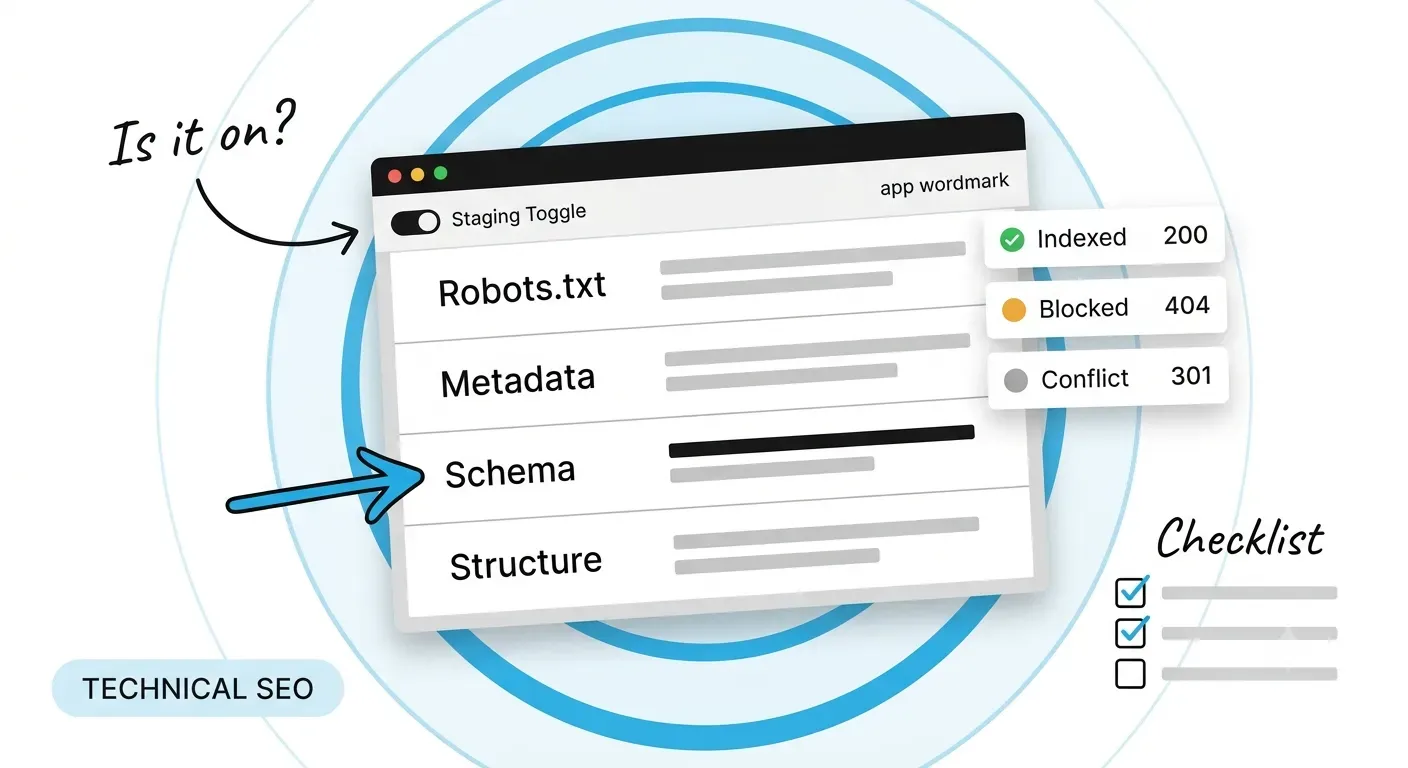
Webflow's own documentation covers this: staging indexing is switched off under Site settings, which publishes a robots.txt that applies only to the webflow.io subdomain. The same page carries a warning worth repeating. Pages blocked in robots.txt still appear in the auto-generated sitemap, and so do pages given a noindex through custom code, unless the per-page sitemap toggle is switched off as well. A sitemap entry plus a block is a contradiction you end up sending without meaning to.
Titles and descriptions are the visible half of metadata. The half that decides which URL survives is the canonical, and it is routinely misread as an instruction. Google's canonicalisation guidance describes rel=canonical as a signal rather than a directive, ranked alongside permanent redirects as strong, with sitemap inclusion treated as weak. Google picks the canonical itself, weighing every signal the site sends, including ones nobody set deliberately.
Consistency is therefore the whole job. That guidance asks for a self-referencing canonical on the canonical page, absolute URLs rather than relative paths, no conflicting canonical targets across different methods, and internal links that point at the canonical URL. A site that satisfies three of those four is still sending a conflict, and resolving it is not yours to do. The same audit discipline applies to any web design and development project, not only Webflow builds.
This usually starts when a page is duplicated in the designer and the canonical field travels with the copy. The duplicate then names the original as canonical, which is correct while they are duplicates and wrong the moment they diverge into two real pages. Audit canonicals as a list rather than page by page: export every value, confirm each is absolute, self-referencing where it should be, and resolves to a URL returning 200 rather than a redirect.
Google's general structured data guidelines draw one line harder than any other: markup must describe content users can see on the page. Marking up content that is not visible is listed as a violation, alongside irrelevant or misleading markup and using structured data to impersonate a person or organisation. The consequence is a manual action removing rich-result eligibility, which does not change web ranking directly but removes everything the markup was built for.
The practical rule for a CMS-driven site follows from that. Build the schema from the same record that renders the page, so headline, dates, author and FAQ entries cannot drift from what a reader sees. An empty field means an omitted property, never a null and never placeholder text. Serialise rather than concatenate, so no field value can close the script tag. And render it server-side, because markup injected by the browser after load is invisible to crawlers that do not execute JavaScript. More on that in our writing.
Structure decides what a crawler can reach at all. The sitemap is a list of suggestions; internal links are the road network. A page sitting in the sitemap with nothing linking to it is a page you have told Google about while giving it no reason to care, and that gap is invisible on a sitemap diagram, because the diagram shows intent rather than markup.
Three checks catch most of the damage. Confirm every commercial page appears in sitemap.xml. Confirm every URL in the sitemap returns 200 rather than a redirect. Then confirm the pages carrying your external links are the pages you actually want ranking. Campaign links pointing at URLs that were never submitted is common, silent and entirely wasted effort. You can see how that work runs across projects in our case study library.
One Webflow-specific caveat. A page whose content arrives only after scripts run, common on motion-led builds, gives a crawler less than the browser shows. Tiles rendered client-side, or output with placeholder hrefs, orphan everything behind them no matter how the navigation looks to you.
These are the four levers people reach for, plus the one everybody forgets, and the limit each carries. Most of the trouble described above comes from using one of them to do another one’s job.
|
Control |
What it does |
Where it lives |
The limit |
|---|---|---|---|
|
robots.txt Disallow |
Stops the URL being fetched |
Site settings, Indexing |
Blocks the noindex from ever being read |
|
Robots meta noindex |
Keeps a crawled page out of results |
Page settings, or custom code |
Needs the page to stay crawlable |
|
rel=canonical |
Names the preferred URL among duplicates |
Page settings, SEO |
A signal, not a directive; Google may disagree |
|
Sitemap entry |
Suggests a URL for crawling |
Auto-generated or uploaded |
Weak signal, and contradicts a block on the same URL |
|
Internal link |
Carries relevance and reachability |
Page templates and body copy |
Nothing reaches a page that nothing links to |
Read down the limit column and a pattern appears. Every control in that list can be overruled, ignored or contradicted by another one. None is a switch that guarantees an outcome, which is why a technical audit is always a cross-check between layers rather than a checklist run down a single page.
A sitemap entry that 301s is a weak canonical signal pointing at a URL you have already retired. Harmless in small numbers and corrosive at scale, because it keeps crawl attention on addresses that no longer serve content. Generate the sitemap from live, indexable URLs only, and re-check it after any URL change rather than assuming the generator noticed.
Client-side schema validates perfectly in a browser-based testing tool and is invisible to anything that does not render JavaScript. View source, search for the ld+json block, and confirm it sits in the served HTML rather than only in the rendered DOM. If it appears in DevTools alone, it is not there for the crawlers that matter.
If your site is new, spend an afternoon on settings before you spend a month on content: staging indexing off, per-page sitemap toggles checked, canonicals absolute and self-referencing, schema rendered server-side. If your site is established and underperforming, do not start with content either. Start with an audit that cross-checks the four controls against each other, because the common failure is two of them disagreeing rather than any one being absent. And if you only have time for a single check this week, export every URL in your sitemap and confirm each returns 200 and carries no noindex. That one list finds more than any other. If you want someone to run it with you, talk to us.
Q: Does Webflow handle technical SEO automatically?
A: It handles some of it and exposes the rest as settings. Canonical tags, sitemap generation and per-page meta fields are built in, but the defaults are not always what you want, and nothing warns you when two settings contradict each other. Treat the built-in features as a starting point that still needs auditing after every structural change.
Q: Should we use robots.txt or noindex to remove a page?
A: noindex, in almost every case. Google’s documentation states that a page disallowed in robots.txt is never crawled, so the noindex is never read and the rule is ignored. Keep the URL crawlable, serve noindex, and wait for the recrawl. Reserve robots.txt for URLs that should never be fetched at all, such as generated filter combinations.
Q: How do we check whether our schema is actually being seen?
A: View source on the live URL rather than using DevTools, and search for application/ld+json. If the block appears in the served HTML, crawlers that do not execute JavaScript can read it. If it appears only in the rendered DOM, it was injected client-side. Follow that with the Rich Results Test on the live URL and keep the screenshot as proof.
Q: Does any of this differ for Webflow web design in UK markets?
A: The technical controls are identical; what changes is hreflang and the question of which country version Google should serve. Search Console’s International Targeting report is retired, so hreflang annotations are the remaining lever and they have to be correct and reciprocal. A UK page with a broken or one-sided hreflang set is annotating nothing at all.
Q: What should we fix first on an existing site?
A: Indexing, then structure, then schema, in that order. A page that cannot be indexed gains nothing from better markup, and a page nothing links to gains nothing from being indexed. Work down the list: remove accidental noindex tags, confirm the sitemap matches the live URL set, repair internal links into commercial pages, and only then improve the structured data.
Let’s Connect.
Have a project in mind or want to explore how we can help your business grow?