
October 14, 2022
Top problems Clients have with Web Design agencies and their solution.
Read Full

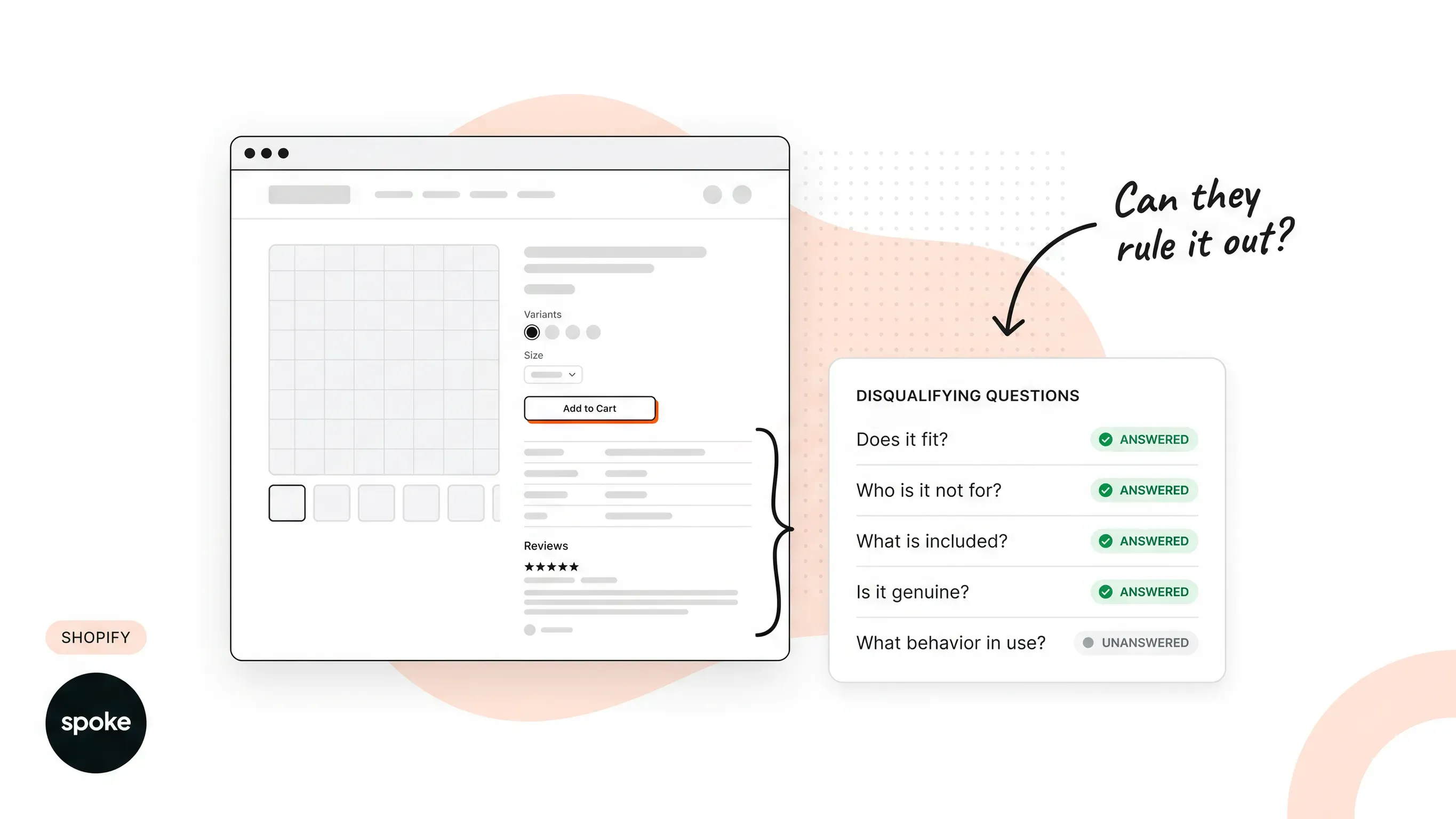
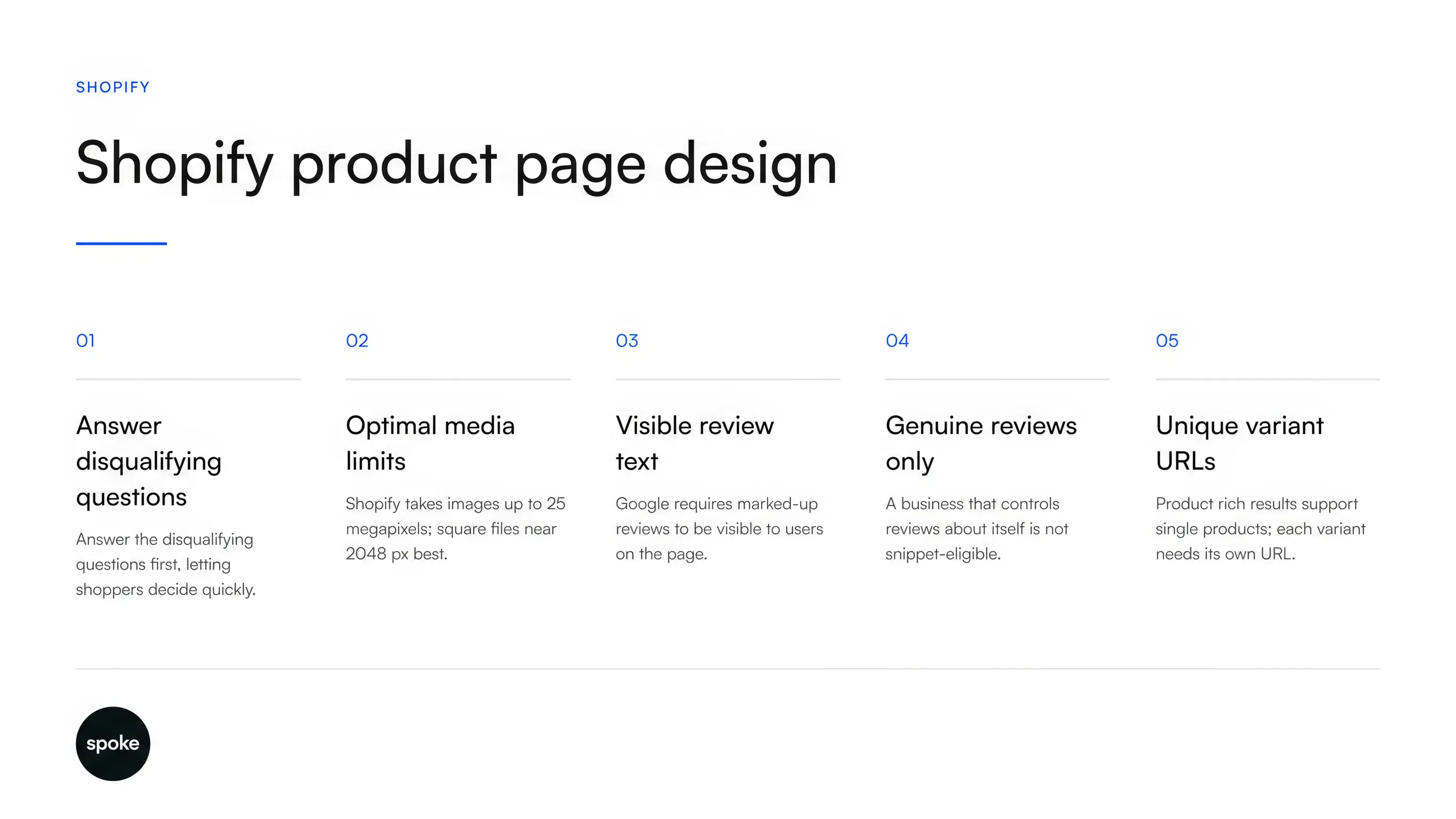
A shopper on a product page is not trying to be persuaded. They are trying to rule the thing out quickly so they can stop looking. Everything on the page is either helping them do that or getting in the way, and most pages are built on the opposite assumption: that the job is to build enthusiasm. The pages that work best answer the disqualifying questions first and let the shopper decide.
Most attempts at trust on a product page are generic: badges, guarantees, a star average with no reviews behind it. They are cheap to add, which is why every competitor has them, which is why none of them distinguishes anything.
What a shopper actually trusts is detail precise enough that it would be awkward to publish if it were untrue. A measurement, a material, a named limitation. The page that says this does not fit wrists under 15 centimetres is more credible than the one promising satisfaction, because the first one gave something up. Our Shopify development work starts from the questions a shopper would ask a shop assistant.
That gives a usable test for any element on the page. Would a careless seller include this? If yes, it is decoration. Specifications, dimensions, what is not included, who it is not for: those are the things a seller with something to hide would leave out, and a shopper reads them that way without being told to.
Photography carries most of the answer to what does it look like, and the platform limits are worth knowing before a shoot rather than after. Shopify's documentation on product media states that images can be up to 5000 by 5000 pixels or 25 megapixels, with a file under 20 MB, and that square product images usually display best at 2048 by 2048 pixels. PNG is the preferred format, then JPEG.
Two other media types answer questions a still image cannot, and both need a supporting theme. Video can be uploaded up to ten minutes, 1 GB and 4K, as MP4, MOV or WebM, or embedded from YouTube or Vimeo, with no other sources supported. 3D models accept GLB and USDZ up to 500 MB, display from any angle, and can be placed in the shopper’s own room through the device camera, with files over 15 MB optimised automatically.
A fixed shot list is efficient to produce and ignores what each product actually needs explaining. A garment needs drape and scale on a person. A tool needs the grip and the thing it attaches to. Build the shot list from the questions the support queue receives about that product type, not from a template applied across the catalogue.
Reviews are the strongest trust element on a product page and the one most often implemented in a way that cannot work. Google's review snippet documentation sets conditions that rule out several common setups.
Marked-up review content must be readily available to users on the page, and it should be obvious that the page has reviews, with the review text and its rating visible. Ratings have to reflect genuine experience, so fake reviews and undisclosed incentivised reviews are not allowed. Reviews from other sites must not be aggregated, and a review must be about a specific item rather than a category. Where multiple individual reviews are shown, an aggregate rating should be included too.
The rule that catches people is the self-serving one. Where the reviewed entity controls the reviews about itself, its pages using the LocalBusiness or Organization review types are not eligible for the star feature, and that applies even when the reviews arrive through an embedded third-party widget. Google also says not to rely on human editors to create, curate or compile those ratings.
An aggregate rating displayed with no readable reviews underneath it fails the visibility condition and gives a shopper nothing to evaluate. Show the reviews. Google notes it recommends accepting only ratings that come with a review comment and an author name, though it does not require it, and a comment is what makes the number mean anything to a reader.
Below is what each element on a product page is actually answering, what it needs to function, and the limit that applies. The last row is the one that quietly degrades as a catalogue grows.
|
Element |
The question it answers |
What it needs to work |
The limit |
|---|---|---|---|
|
Images |
What does it actually look like? |
Square files around 2048 x 2048 px |
Up to 25 megapixels and under 20 MB each |
|
Video |
How does it behave in use? |
A supporting theme |
Ten minutes, 1 GB, MP4, MOV or WebM |
|
3D model |
How big is it, really? |
A supporting theme and a GLB or USDZ file |
Up to 500 MB; files over 15 MB are optimised |
|
Reviews |
Did it work for someone like me? |
Genuine ratings visible on the page |
Self-controlled reviews are not snippet-eligible |
|
Specifications |
Will it fit my situation? |
Consistent fields across every product |
Only as reliable as the least complete record |
The pattern in the limit column is that the first three are platform constraints you can plan around, and the last two are data problems you cannot design your way out of. A specification table is only as good as the least complete product record behind it, and no amount of layout work fixes a blank field.
Google's product snippet documentation states that product rich results only support pages focused on a single product, or multiple variants of the same product, and that each variant should have a distinct URL. It recommends putting the markup on individual product pages rather than on listing or category pages.
The required properties are modest: a name, plus at least one of review, aggregateRating or offers. An Offer needs a price, with availability, priceCurrency as a three-letter code and priceValidUntil recommended. A snippet may not display at all if priceValidUntil has passed, which is a quiet failure worth checking on a store that set it once and moved on.
One further caution applies to anything app-driven. The same documentation notes that markup generated by JavaScript may be crawled less often and less reliably, which matters most for price and availability because those are the fields that change. The same structural discipline applies to any web design and development project.
On a recent store, the product pages carried a star average pulled from a review app but the reviews themselves sat behind a tab that loaded only when opened. The markup validated and the stars never appeared in search. Moving the reviews into the page body, visible without interaction, resolved it. Nothing about the review data changed. The shopper could simply see what the number was built from. You can see the shape of that work in our case study library.
A paragraph describing dimensions reads fine on one product and cannot be compared across forty. Record specifications as structured fields with consistent units, so they can be filtered, compared and audited for completeness. Prose descriptions hide the gaps; a field shows them as blank. More on that in our writing.
Templates get designed against the flagship, which has full photography, a video and sixty reviews. Most of the catalogue has three photographs and no reviews, and the template looks broken for them. Design against a median product and check the template against the thinnest record you have.
If you are rebuilding product pages, start by listing the questions that would make a shopper rule the product out, because answering those earns more trust than any badge and takes no design work. If your reviews are not showing as stars in search, check visibility before you check the markup, since the most common cause is review content hidden behind a tab or loaded only on interaction. And if the catalogue is large, audit field completeness before redesigning the template, because the layout cannot rescue a product record with blank specifications. If you want a second opinion on yours, talk to us.
Q: What image size should Shopify product photos be?
A: Shopify documents a maximum of 5000 by 5000 pixels or 25 megapixels, with each file under 20 MB, and says square product images usually display best at 2048 by 2048 pixels. PNG is the preferred format, with JPEG next. Setting a standard at the point of upload is cheaper than auditing an existing catalogue later.
Q: Why are our review stars not showing in search?
A: Check visibility first. Google requires marked-up review content to be readily available on the page, with the review text and rating visible, so reviews hidden behind a tab or loaded on interaction can fail even when the markup validates. The other common cause is the self-serving rule, which makes a business controlling reviews about itself ineligible for the star feature.
Q: Can we use reviews collected on another site?
A: Not for markup. Google states plainly that reviews and ratings from other websites must not be aggregated, and that reviews must be about a specific item rather than a category or list. Embedded third-party widgets do not get around the self-serving restriction either, since that rule applies regardless of how the reviews reach the page.
Q: Does every variant need its own product page?
A: Each variant should have a distinct URL if you want it eligible on its own terms, since product rich results support pages focused on a single product or variants of the same product. That is not the same as a separate page for every colour. Give an address to the variants with demand of their own and keep the rest on the product page.
Q: What should a shopify website development agency decide first?
A: The product data model, because almost everything on this page depends on it. Specifications, filters, variant URLs and structured data all read from the same fields, so the fields and their consistency have to exist before the template is designed. Settling that first removes most of the rework that otherwise arrives after the catalogue is loaded.
Let’s Connect.
Have a project in mind or want to explore how we can help your business grow?