
January 25, 2023
5 Key Principles for Web3 Designs.
Read Full

The test of a component library is not whether it looks organised in the Designer. It is whether someone who has never seen the project can open it in a year and work out what anything does. Most libraries pass the first test and fail the second, because they were named by the person who built them, for the person who built them, on the day they built them.
Component libraries get justified on build speed, which is the smallest benefit they deliver. The real return arrives eighteen months later, when somebody who was not in the original project needs to add a page and has to work out what already exists.
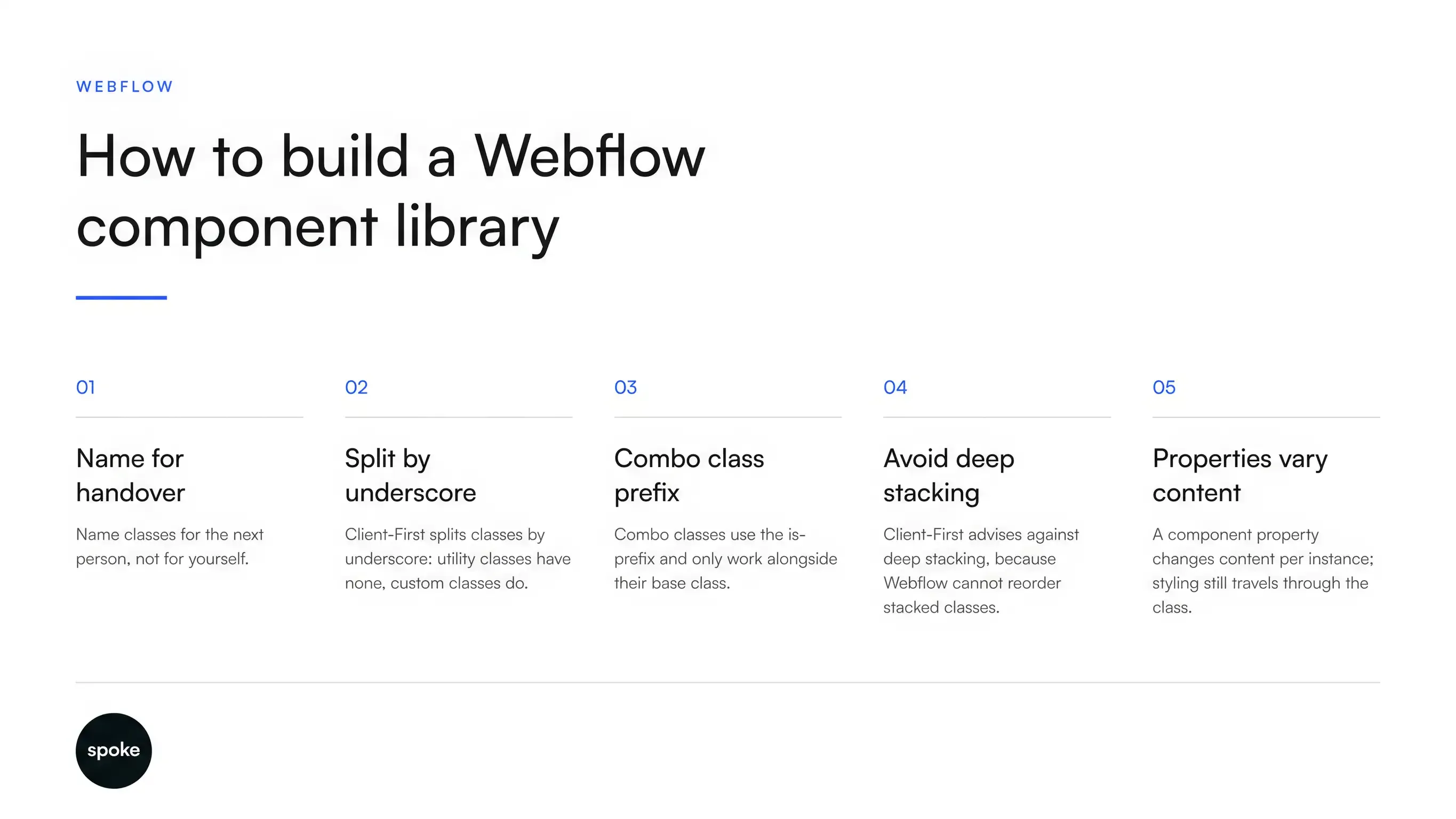
Finsweet’s Client-First documentation is explicit that this is the point. Its stated principle is client interests first: projects should be scalable, built quickly without losing quality, and easy to transfer to another team. Its naming rule follows from that, asking for no abbreviations, no shorthand and no confusion, with the aim of empowering a non-technical person to manage the website.
That reframes the naming argument. A class name is documentation that cannot go out of date, because it travels with the thing it describes. A written guide drifts from the build; a name does not. The same reasoning applies to any web design and development project that will change hands.
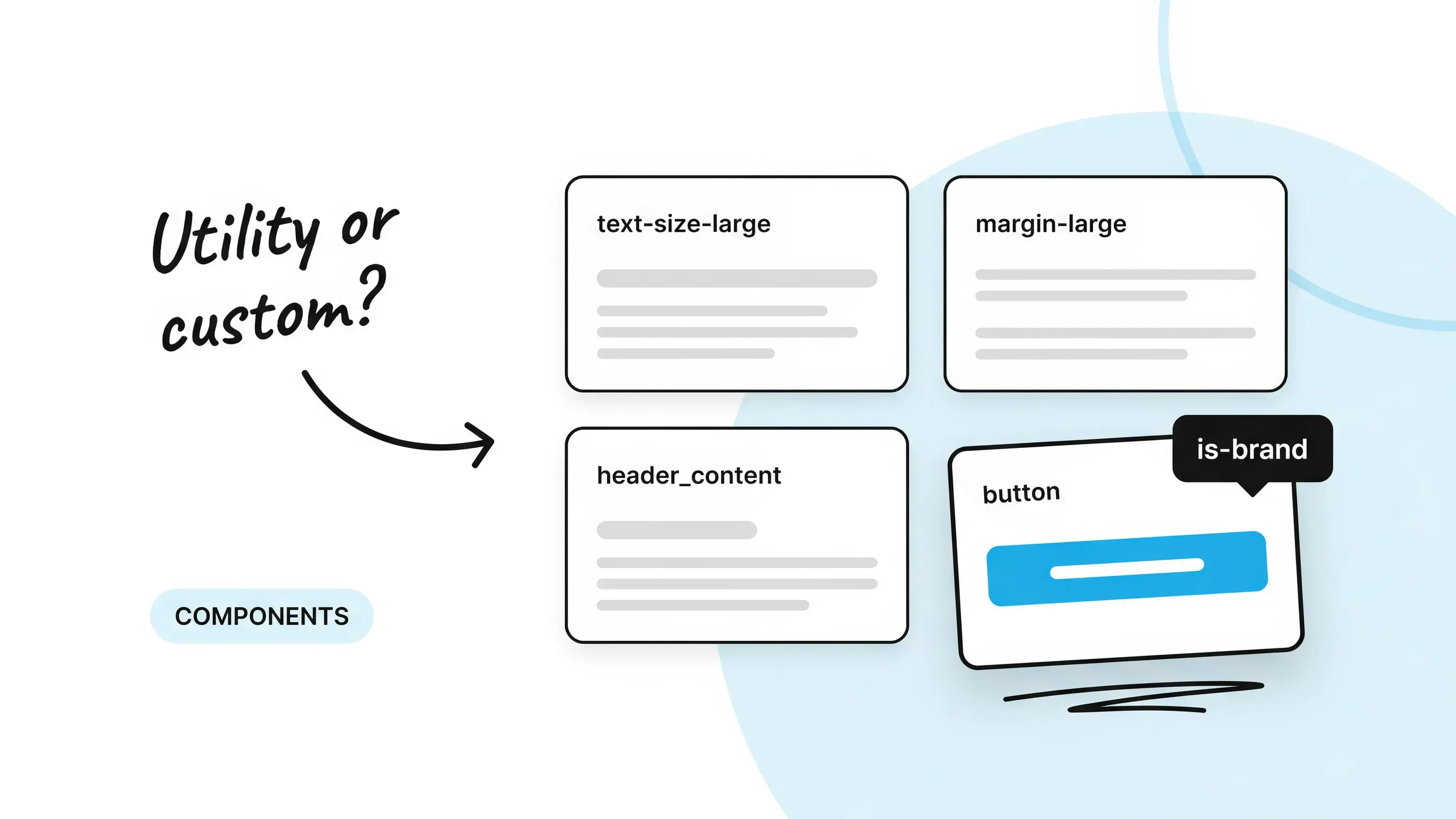
Client-First’s class strategy sorts classes into kinds with a naming signal for each. Utility classes apply one combination of properties across the project and carry no underscore, as in text-size-large or margin-large, with their values controlled by variables. Custom classes style one component or element and use an underscore, as in header_background-layer. Global is a classification rather than a type, since both kinds can be global. Combo classes are variants of a base class and take the is- prefix, as in button plus is-brand, working only alongside the base class listed before them.
The underscore is doing real work there. It means anyone reading a class list can tell at a glance whether a name is project-wide or local to one component, without opening anything. That single convention removes most of the guesswork in an unfamiliar project. It also makes a bad name visible at once, because a custom class without an underscore reads as project-wide and will be reused somewhere it does not belong.
Client-First advises against deep stacking and gives reasons rather than taste. Webflow’s Styles panel does not allow free reordering of stacked classes, so a small change takes many steps. It creates a steeper learning curve for anyone new. And the file-size saving from stacking is not significant, because writing CSS in Webflow is fast. Its recommended replacement is one custom class, so three stacked classes for a background texture become services-item_background-texture.
Client-First asks for keywords ordered general to specific, as in team-list_headshot-wrapper, because that order groups related classes together in the Designer’s class search and works with the Folders feature. Reversing it scatters related classes across the list and makes the library feel larger than it is. The fix is mechanical rather than creative, which is why it is worth settling as a written rule rather than leaving it to whoever builds the page.
Not every repeated block should become a component, and the distinction is about who needs to change it. Webflow's components documentation describes components as customisable blocks built from elements and child elements, where edits to the main component apply to every instance, including structural changes such as moving an element.
The part that decides your structure is properties. Component properties define values for text, rich text, images, video and visibility, and each instance can override them or connect them to a CMS field. Elements controlled by a property update only in the instance where they are changed. Elements without a property update everywhere.
So the design question is which parts of a block are meant to vary. Those become properties. Everything else stays synced, which is the behaviour you want. Getting this backwards produces either a component nobody can customize or one where a marketer changing a headline silently changes it on nine other pages. Where a component carries motion, the same logic applies: reuse the interaction rather than rebuilding it per instance.
Unlinking solves the immediate problem and removes that instance from every future update, which nobody remembers a year later. If a variation is needed more than once, it belongs as a property or a combo class. Webflow also does not natively support duplicating a main component, so the workaround is to unlink an instance and create a new component from it, which is worth knowing before you plan a variant set.
Below are the class types a Client-First project uses, the signal in each name, and the practical limit on each. The last row is the one people forget, because a property feels like styling and is not.
|
Class type |
What it does |
Naming signal |
The limit |
|---|---|---|---|
|
Utility |
Applies one set of properties project-wide |
No underscore, as in text-size-large |
Stacking several of them is what Client-First warns against |
|
Custom |
Styles one component or element |
Underscore, as in header_content |
Only as reusable as the name is clear |
|
Combo |
A variant of a base class |
The is- prefix, as in is-brand |
Works only alongside the base class before it |
|
Global custom |
A custom class reused project-wide |
Underscore, applied everywhere |
Easy to edit by accident from one page |
|
Component property |
Varies content per instance |
Set on the component, not the class |
Styling still travels through the class |
Read the limit column and the shape of the system appears. Every mechanism is narrow on purpose. Trouble starts when one is asked to do another one’s job, usually a stack of utility classes standing in for a custom class that was never created.
On a recent UK project inherited from another studio, the class list ran to several hundred entries and about a third were variations on the same three ideas, named by whoever happened to build that page. Sorting them into utility and custom with the underscore convention, then merging the duplicates, took two days and cut the list by half without changing a single pixel. The team stopped asking which class to use. You can see the shape of that work in our case study library.
A correct library with no page explaining when to use what is a library the next team will work around rather than use. Build a style guide page from the real components, so it cannot drift, and keep it in the project rather than in a separate document. More on running that inside a live project in our writing.
Half a project on a convention is worse than none, because now a reader has to work out which half they are in. If the whole site cannot be converted at once, convert by section and record which sections are done, so the boundary is knowable rather than discovered.
If you are starting a project, adopt the underscore convention on day one, because retrofitting a naming system across a built site is the expensive version of this work and nobody budgets for it. If you have inherited a messy class list, sort before you delete: group the classes into utility and custom first, since the duplicates become obvious once they are grouped and most of the list resolves itself. And if you are about to hand a project over, check one thing above all, which is whether someone outside the project can read a class name and tell what it does. If you want a second opinion on yours, talk to us.
Q: What makes a class utility rather than custom in Client-First?
A: The underscore. Utility classes apply one combination of properties across the project and carry no underscore, as in text-size-large. Custom classes style a specific component or element and use an underscore, as in header_content. Both can be global, since global is a classification rather than a separate type. The convention lets anyone read a class list without opening anything.
Q: Why does Client-First advise against stacking classes?
A: For three stated reasons. Webflow’s Styles panel does not allow free reordering of stacked classes, so small changes take many steps. Stacking creates a steeper learning curve for anyone new to the project. And the file-size saving is not significant, because writing CSS in Webflow is fast. The recommended replacement is a single custom class.
Q: When should something become a component rather than a class?
A: When the whole block repeats and should update everywhere at once. A class styles an element; a component synchronises a structure. If you want the layout to stay identical across pages but the text to differ, that is a component with properties. If you only want consistent styling on varied structures, a class is enough and a component adds overhead.
Q: What is the risk in unlinking a component instance?
A: It removes that instance from every future update to the main component, and nothing on the page marks it as detached. A year later someone updates the component and one page silently keeps the old version. If a variation is needed more than once, make it a property or a combo class rather than unlinking.
Q: Does any of this change for webflow web design uk projects?
A: The conventions are platform-level rather than regional, so nothing in Client-First changes. What does change is who inherits the project. Where a UK client will manage the site internally after handover, the naming rules matter more than they do on a site the original team keeps maintaining, because the names are the only documentation that cannot drift.
Let’s Connect.
Have a project in mind or want to explore how we can help your business grow?